Enrich your Synthetic Users with your data. RAG tutorial.
Learn how to enrich Synthetic Users with your own data using Retrieval-Augmented Generation (RAG) to make AI participants more context-aware and accurate.
With Retrieval-Augmented Generation (RAG), we’re effectively allowing you to upload documents—such as previous interviews, past surveys, and consumer insight reports—that you believe will add more depth and help ground your synthetic users in your own data. At a high level, RAG works by indexing the documents you provide and retrieving the most relevant pieces of information whenever the model needs them. This ensures the outputs are guided by authentic, domain-specific material. By anchoring your Synthetic Users in data that you’ve curated, you reduce the chance of receiving generic or inaccurate responses, which can sometimes occur with large language models that draw only on their built-in training data.
Keep in mind, however, that the large language models we use (we shuffle between multiple frontier models) were trained on a vast range of internet-based data spanning roughly the last 25 years. It’s possible that your uploaded documents—or at least portions of them—already exist within the model’s training set. In these cases, re-uploading the same content primarily serves to solidify trust and control in the process, rather than introduce new information. Even if the model “knows” some of the data from prior training, specifying these documents explicitly makes sure the relevant insights are prioritized. Ultimately, RAG gives you a direct way to shape the generated output with your own data, helping ensure that the synthesized findings reflect your unique context.


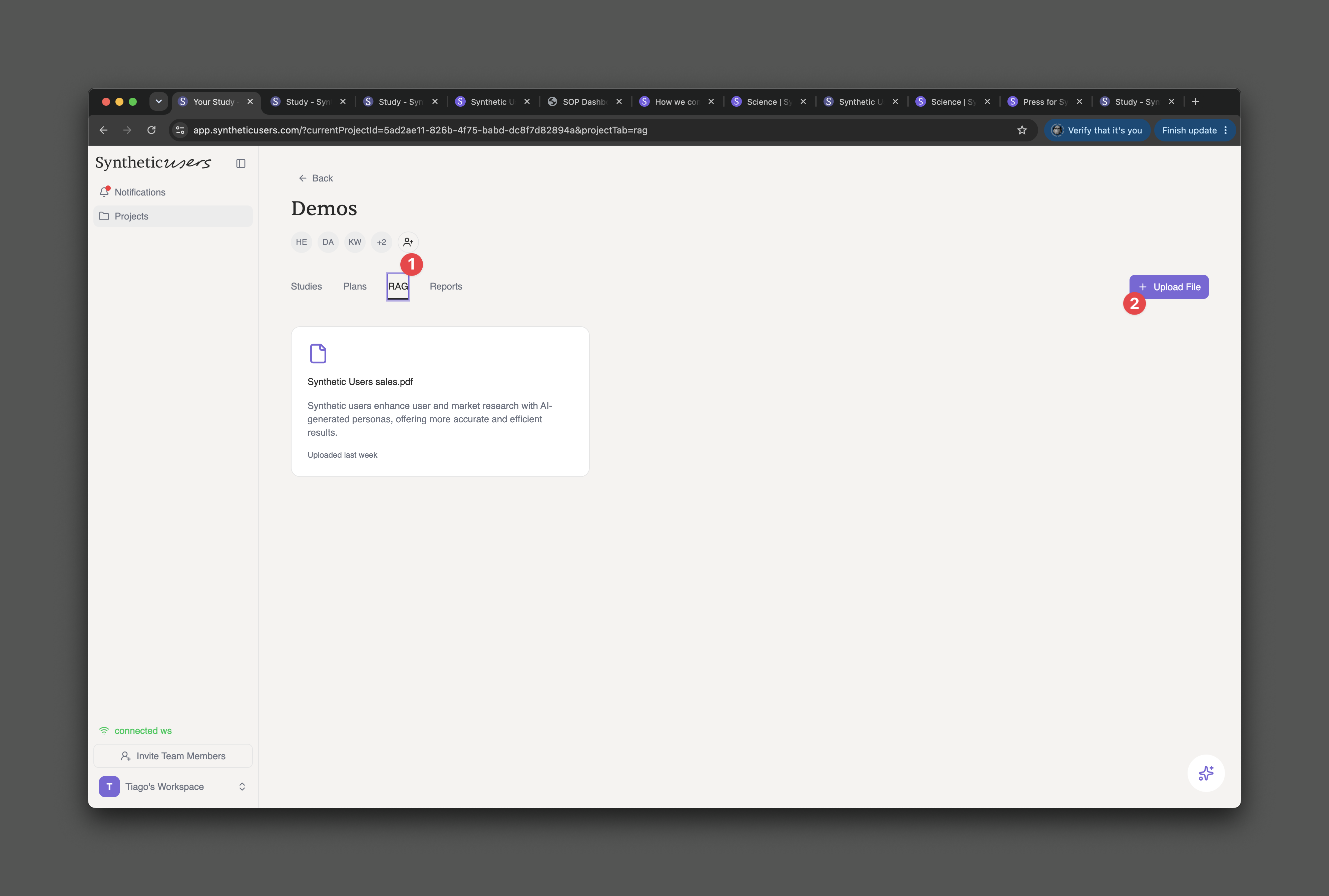
Drag and drop any PDF into this area that you have. The constraints are it can't go over 500 megabytes or 200 pages long.
Ensure that the status is ready. When you upload any document into our RAG framework, that document needs to be processed and made available to the Synthetic User's engine. So keep an eye on this status indicator.
You can find a link to watch the tutorial at the very top. This is the video where we explain RAG: https://www.youtube.com/watch?v=68f-gs0pV6M&t=2s


After selecting your interview type and before starting your research plan, you’ll see a screen called Sources Selection.
On this screen:
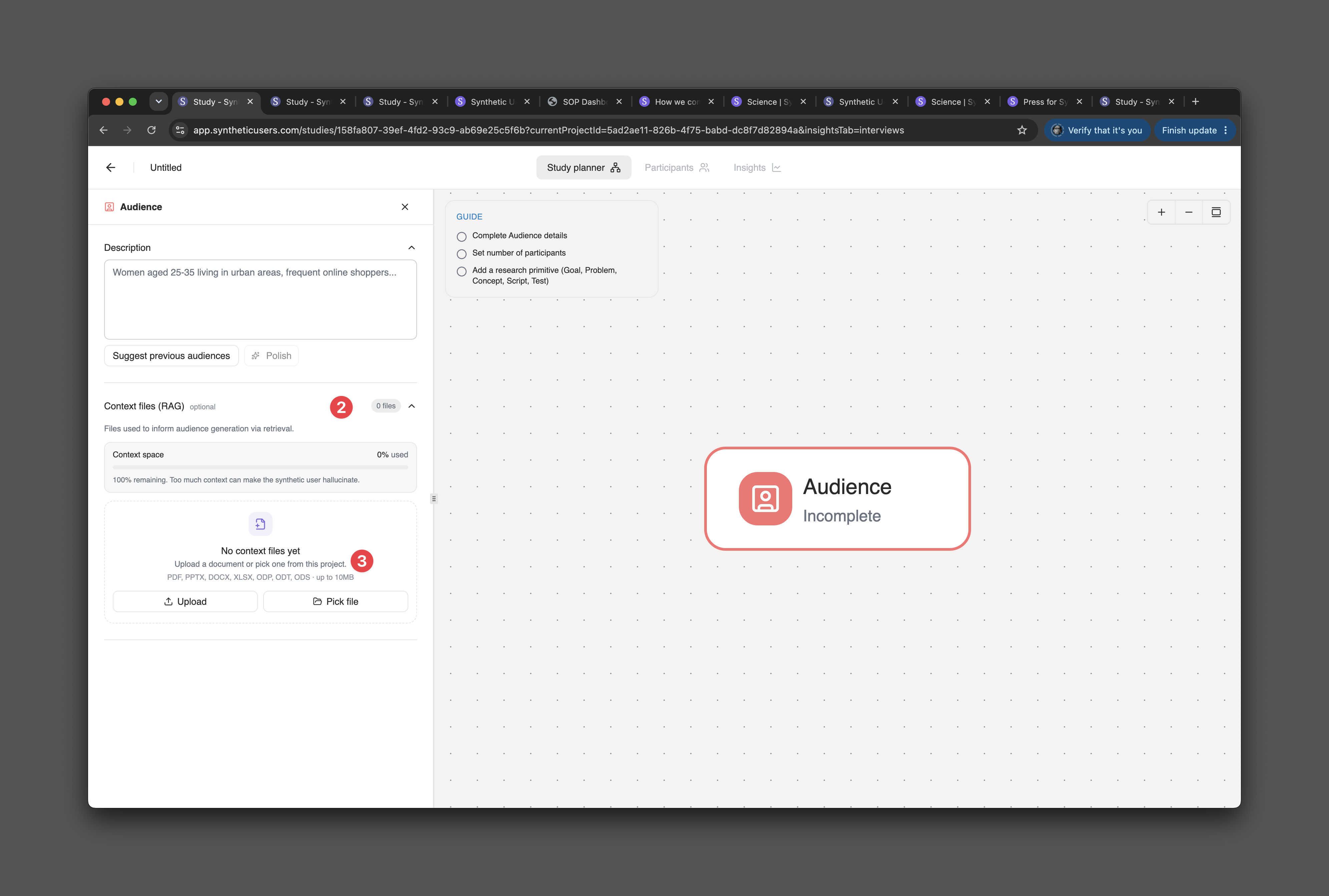
1. you can choose up to three previously uploaded documents to use as enrichment sources for your upcoming study.
2. Ensure that the status is green.
3. Press the main CTA in order to start your study.

When you begin filling out your research plan, you’ll notice an indicator in the top-right corner showing that three sources are in use. Tapping this tab reveals exactly which sources are enriching your synthetic users in the study.
Releated Articles
More articles for you

Synthetic users, an intro
A quick video walkthrough introducing the Synthetic Users platform — covering key navigation and core features for new users getting started.

Introducing Iris
Introducing Iris, Synthetic Users' research agent. A tutorial on how to work alongside Iris to define study parameters, run interviews, and get precisely structured insight reports.

Multi-study planner: plan and run multiple studies with different audiences
PRISMA is Synthetic Users' multi-study planner — a single interface to design, manage, and run multiple studies with different audiences simultaneously, without juggling separate projects.

Enrich your Synthetic Users with your data. RAG tutorial.
Learn how to enrich Synthetic Users with your own data using Retrieval-Augmented Generation (RAG) to make AI participants more context-aware and accurate.

Synthetic Users Leadership Webinar: Mapping the Synthetic Research Industry
Recap of the Synthetic Users Leadership Webinar featuring Wikipedia founder Jimmy Wales — covering the state of AI, synthetic research risks, differentiators, and the road ahead.

Help! How do I go beyond the average with Synthetic Users?
How to move past generic insights with Synthetic Users by changing your research mindset, framing better goals, and probing deeper — just like you would with organic participants.

Features: Knowledge Graph, Cloning Research, Exporting Annotations, Searching inside History...
A roundup of four new Synthetic Users features: Knowledge Graph for visualising interview themes, Research Cloning, Annotation Exporting, and searching inside your research history.

What's new? 4 new features
A look at four new Synthetic Users features: a Research Assistant UI, expanded language support, and more — designed to help teams run better research faster.

Generating, Running and Sharing Synthetic Research. Really?
A step-by-step walkthrough of how to generate your Synthetic User panel, run interviews, and share your research — from setup to insights report

What to do when you feel your Synthetic Users are being too generalist
Three practical steps to get more specific, nuanced insights from Synthetic Users — including how to probe deeper, ask better questions, and when to complement with organic research.

Which interview type should I pick?
A guide to Synthetic Users' three interview types — dynamic script, custom script, and concept testing — and how to choose the right one based on your research goal.

Do annotations matter to researchers?
Why annotations are essential to research — from medieval monks marking manuscripts to modern researchers highlighting insights. How Synthetic Users brings annotation into AI-powered research.

The transition to Continuous Insight and where we excel
A look at four new Synthetic Users features: a Research Assistant UI, expanded language support, and more — designed to help teams run better research faster.

Don’t fall into the: “It’s not real. It’s just programming.“ fallacy.
Why dismissing AI-generated feedback as "just programming" is a mistake. The value of synthetic research lies in the insights it generates — not in the origin of the participant.

Products creating products
A reflection on how AI is transforming product development — and how Synthetic Users fits into a future where products help create better products through real-time synthetic feedback loops.

Synthetic Users: Merging Qualitative and Quantitative Research, in seconds.
How Synthetic Users blurs the line between qualitative and quantitative research — enabling teams to get the depth of qual at the scale and speed of quant, in seconds.