
Tutorials
Introducing Iris, your user research co-pilot
Introducing Iris, Synthetic Users' research agent. A tutorial on how to work alongside Iris to define study parameters, run interviews, and get precisely structured insight reports.
Meet Iris, Synthetic Users' research agent.
Iris is part of every project. Think of it as a copilot for your research: it has access to all the tools it needs to plan studies, run them, and generate reports — so anything you'd normally click through, you can simply ask for.
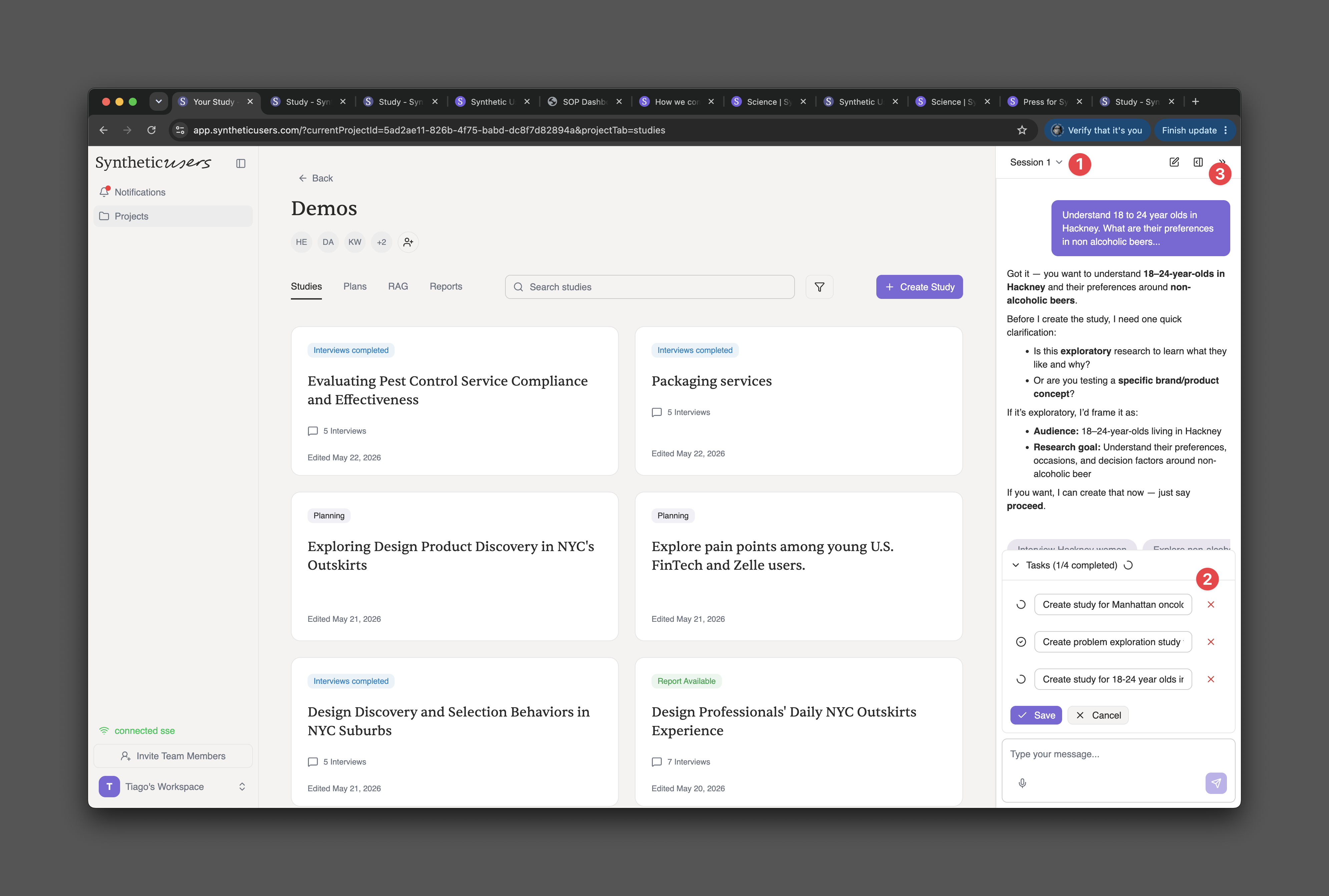
The interface is conversational, and Iris behaves like a partner rather than a command line. Describe what you want to learn — say, "Understand 18-to-24-year-olds in Hackney and their preferences in non-alcoholic beers" — and Iris will ask the clarifying questions a good researcher would, propose the audience and research goal, and create the study the moment you say proceed.
And because real research rarely happens one thing at a time, Iris doesn't either:
Run multiple sessions at once. Each session is its own conversation with its own context — switch between them from the session menu at the top of the panel (1).
Run multiple tasks in parallel. Ask for several studies in one go and Iris queues them as tasks, working through them while you carry on the conversation (2).
Generate reports across studies. Iris can synthesize findings from multiple studies into a single report.
Drag and drop. Drop items straight into the conversation to use them for concept testing or RAG.
Get it out of the way. Minimise the panel whenever you want more space to work (3).
Questions? Book time with our team, or email us at support@syntheticusers.com.