
Tutorials
Context, in its own step
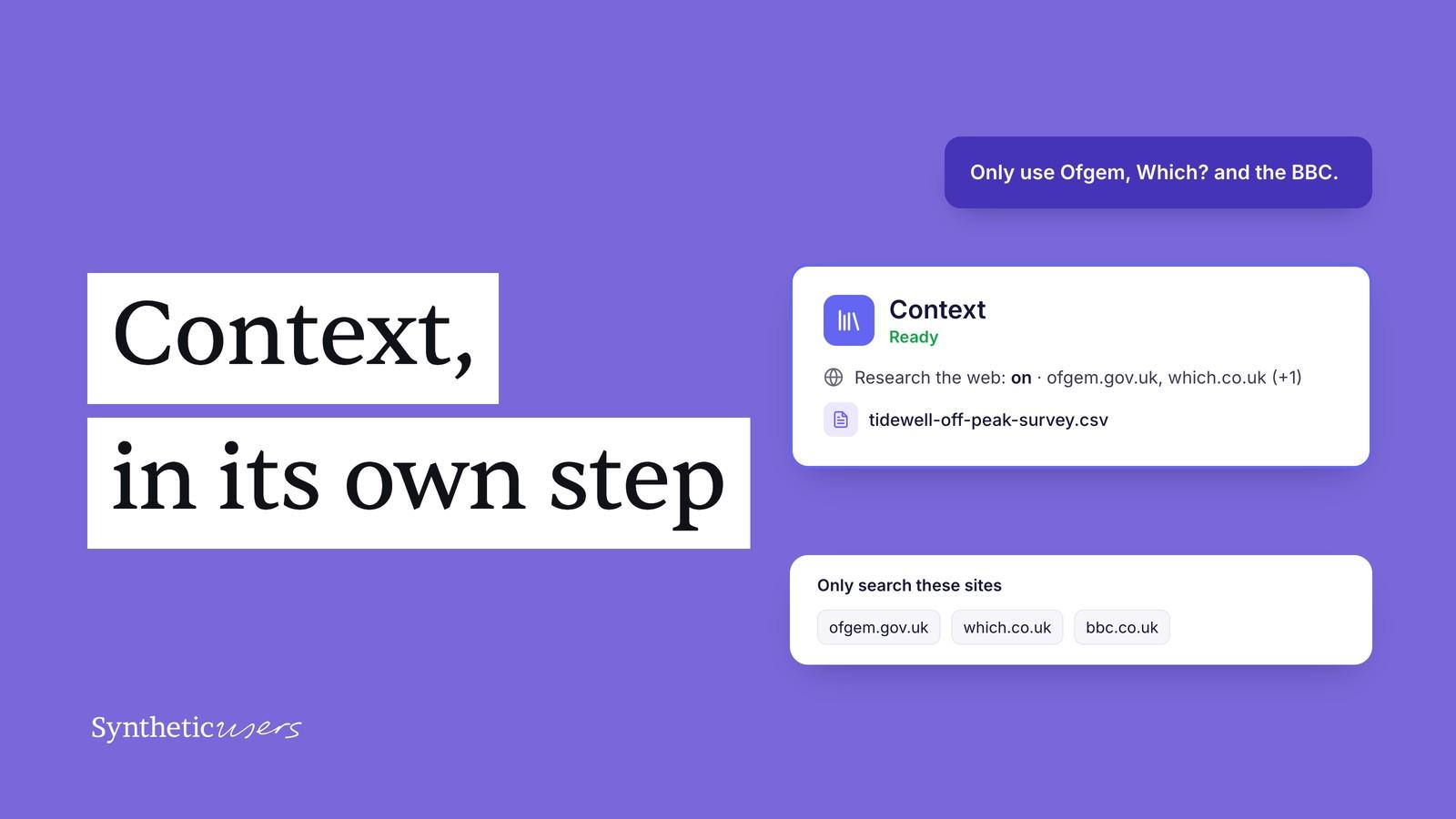
Everything your participants know now sits in one place, web research only runs when you ask for it, and you choose where it looks.
Synthetic participants already bring a broad understanding of people and markets. Context adds what's specific to you: your own research, your survey results, the latest reporting on your market. With it, their answers can draw on the details of your situation as well as the bigger picture. We wrote more about why that matters in Specific by default.
Context now has a step of its own in every study. It's where you add your files, decide whether we research the web for you, and choose which sites that research can use.
The screenshots follow a made-up home-energy app, Tidewell, as it interviews UK households about a time-of-use tariff.
Everything your participants know now sits in one place
Every study now has a Context step on the planner, between Audience and Participants. It's optional: it never holds up Generate, and it stays put when you switch templates.
The step tells you at a glance what grounds the study: whether web research is on and where it looks, plus every file you've added. While files are being read it shows Preparing, and if something needs your attention it shows Check files or Check research.

Bring your own files, and see what they're for
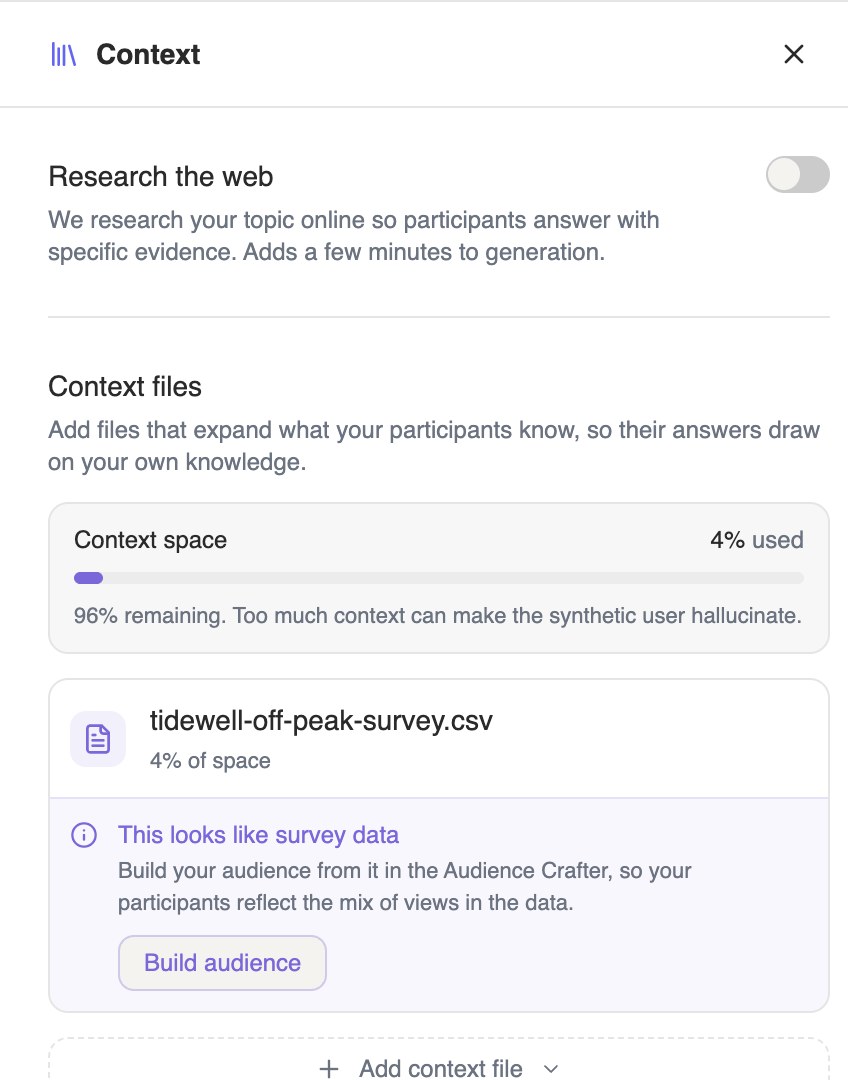
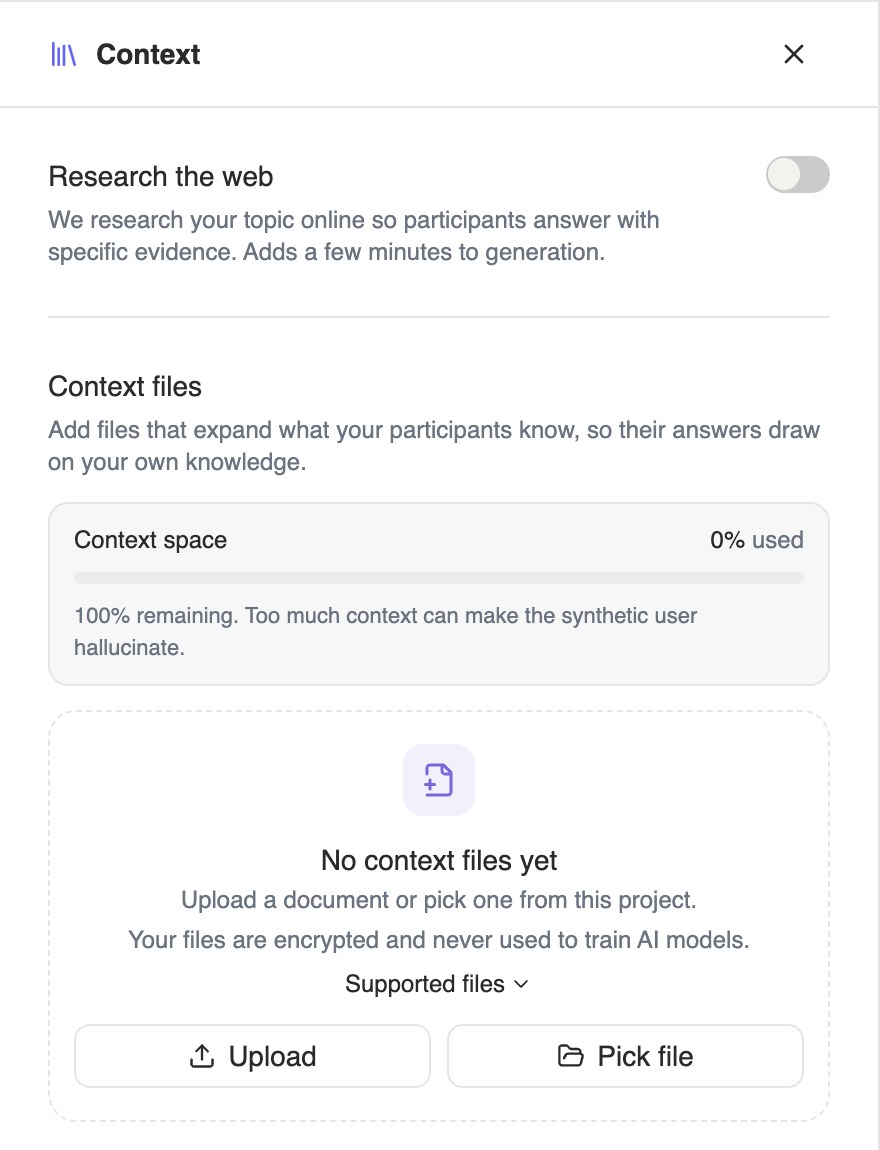
Open the step to add context files: reports, transcripts, survey results, anything that expands what your participants know, so their answers draw on your own knowledge. Files can be up to 10MB each, and they're encrypted and never used to train AI models.
When a file looks like survey data, the panel says so and offers Build audience. That opens the Audience Crafter with the file handed to Iris, so your participants reflect the mix of views in the data, not just its facts.
Web research now runs only when you turn it on
Research adds a few minutes before your participants appear, and it changes what they know. A setting like that should be a choice you can see and make per study.
So Research the web now starts off, sits at the top of the Context step, and says what it costs: “Adds a few minutes to generation.” Switch it on for the studies that need it. Studies that already used research keep their setting.
You decide where it looks
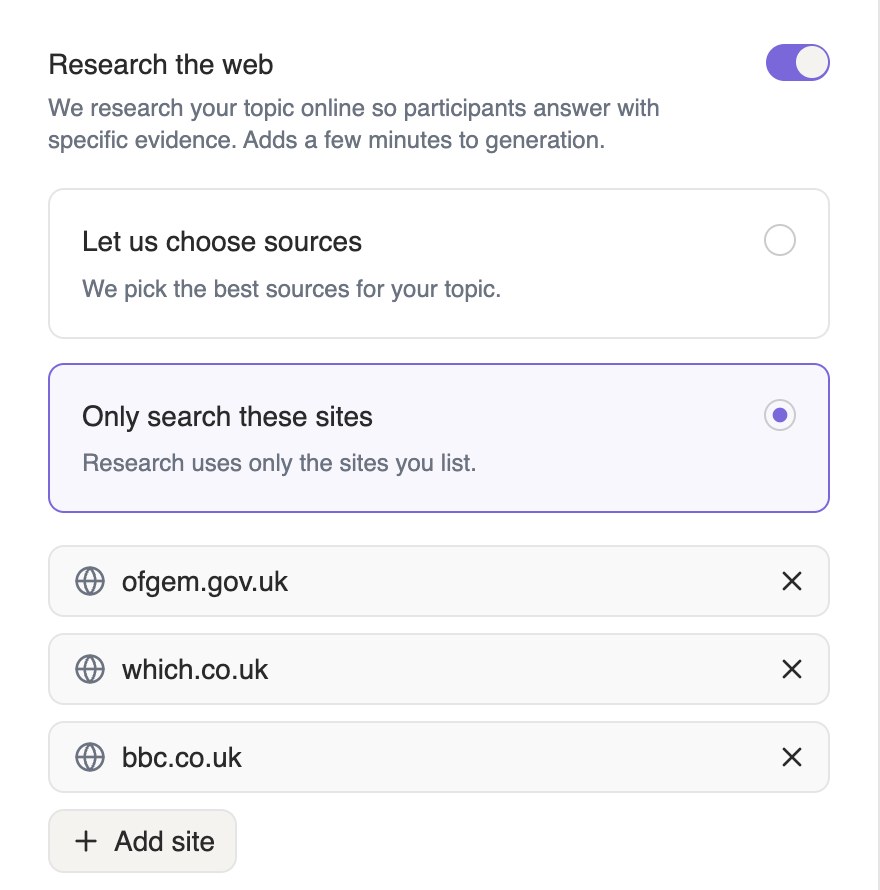
Switch research on and choose how it finds its sources:
- Let us choose sources. We pick the best sources for your topic, as before.
- Only search these sites. Research uses only the sites you list, and every page it reads comes from one of them.
Tidewell wants evidence from the regulator, a consumer champion and a national broadcaster, so it lists Ofgem, Which? and the BBC. Paste a full link or just the domain. Anything that isn't a website is refused, and the message names the entry that needs fixing.
Each study also researches fresh, from the sources you chose for it.
When research comes back thin, we stop before writing anyone
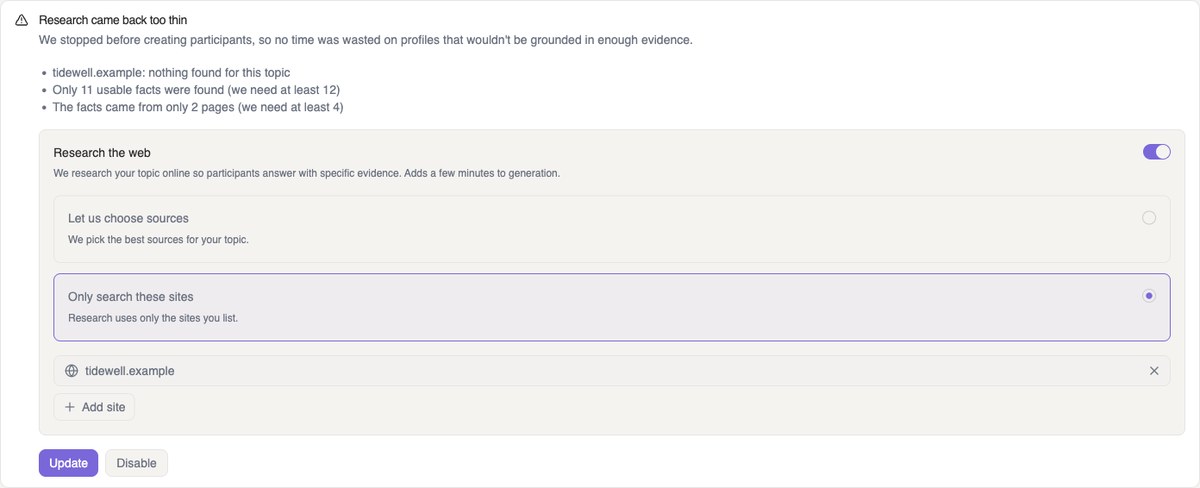
If research finds too little to ground your participants, the study stops before a single participant is created, and the Participants tab tells you why, site by site.
From there you have two choices: change the sites and press Update to generate again, or press Disable to generate without research. There's no "generate anyway", because thin material shouldn't reach a participant. Iris and the MCP report the stop too, so you hear about it wherever you started the run.
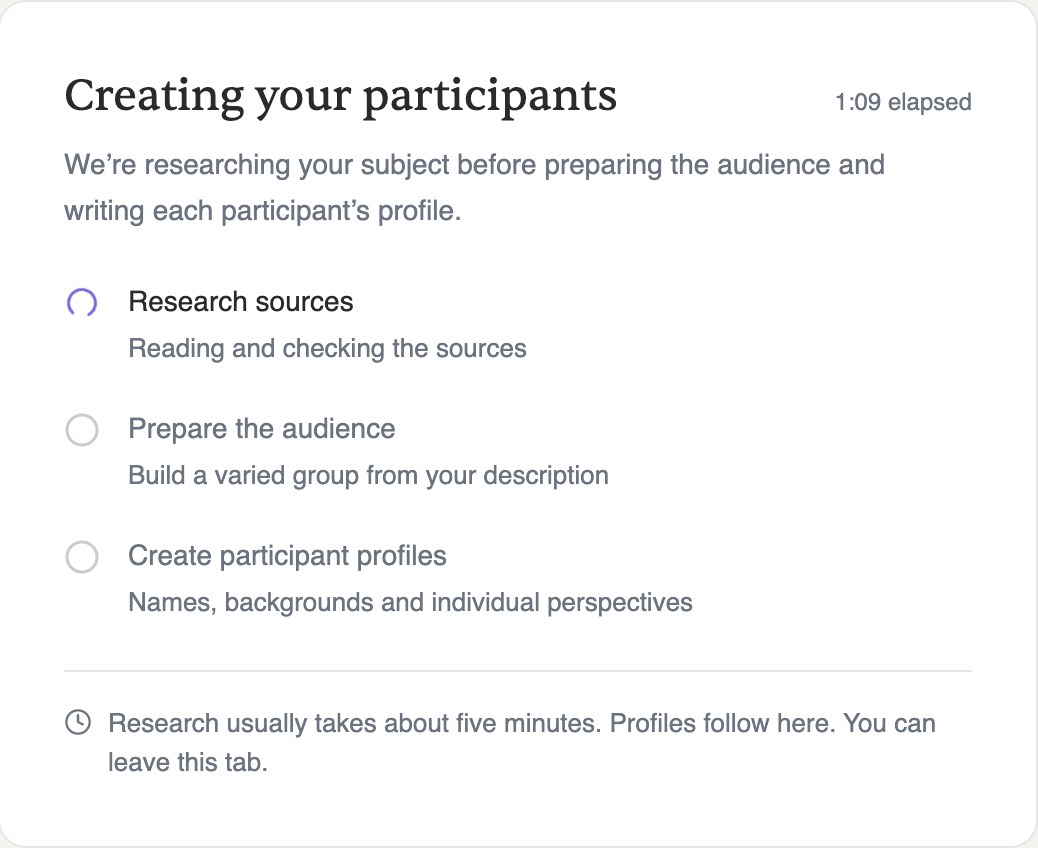
When research does go ahead, it shows in the same progress card as the rest of the run: researching sources, preparing the audience, then writing each participant's profile. You can leave the tab while it works.
Context now has its own step: your files and web research in one place, research only when you ask for it, on the sites you choose, and a clear stop when there isn't enough to go on.
To try it, open any study and look for the Context step between Audience and Participants.
Questions? Email us at support@syntheticusers.com.
All data in the screenshots is fictional.