
Tutorials
Video research: trailers, sketches and TV scenes
Video studies now test trailers, comedy sketches and scenes from TV and film, not just ads, with goals, interviews and reports made for each type.
What changed
Video studies on Synthetic Users used to be about ads. They now also test trailers, comedy sketches and scenes from TV shows and films, up to 30 minutes long. Each type comes with its own goals, its own interview and its own report, and every Synthetic User watches the video part by part, the way a viewer would, stopping when they would lose interest.
The screenshots follow a made-up coffee brand, Fernhill, testing a 24-second ad. Trailers, sketches and scenes are set up the same way.
Set up a video study
- Create a study from the Concept Testing template and add your audience.
- Drop your video into the concept: MP4, MOV or WebM, up to 500 MB. A video up to 30 minutes plays in full: drag the ends to cut a closing card or credits, then click Save. For a longer video, you pick the 30-minute window to test.
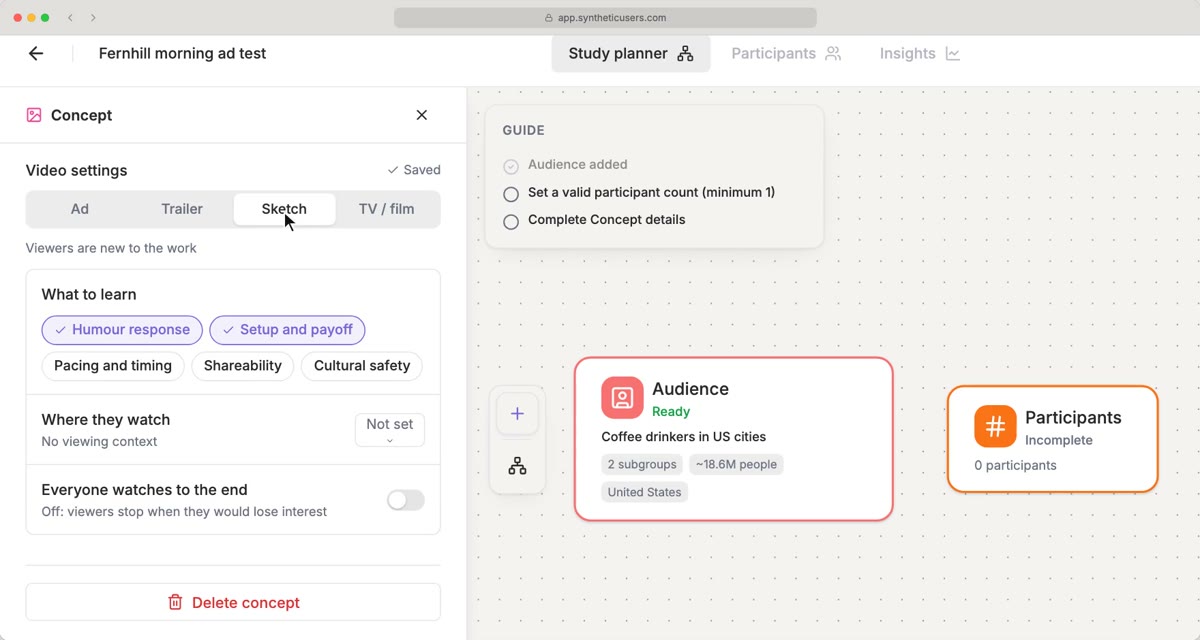
- Pick the type: Ad, Trailer, Sketch or TV / film.
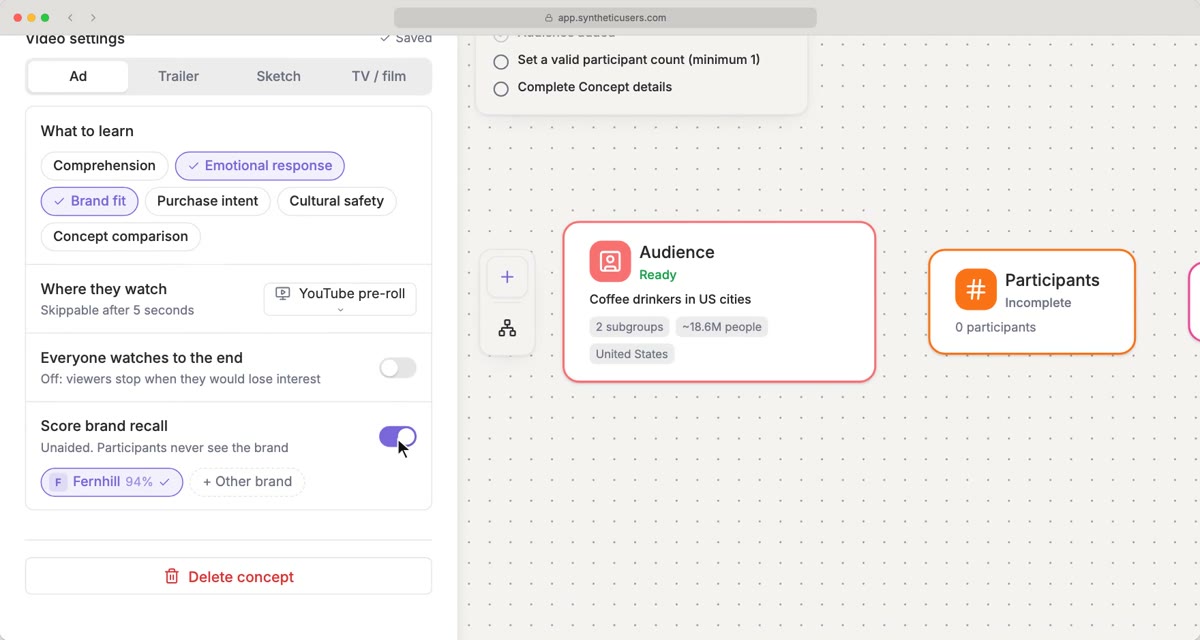
- Pick what you want to learn. Each type has its own goals, and the usual ones start picked.
- Choose Where they watch, and whether Everyone watches to the end.
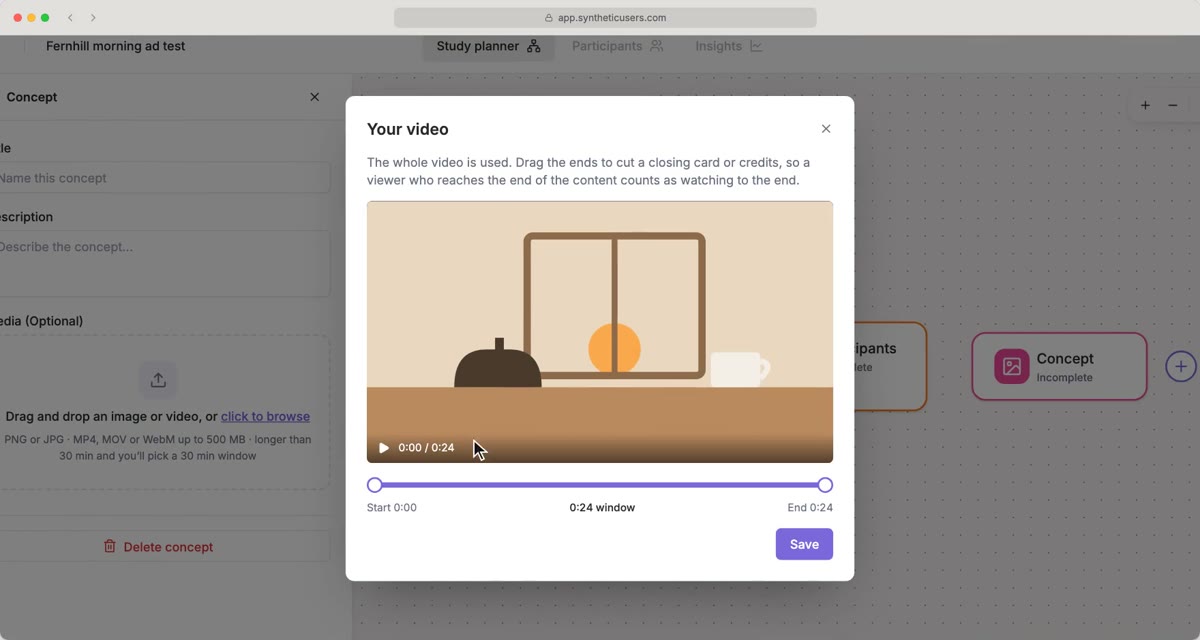
While the video is analyzed, part by part, the description is written for you, and the concept takes its title from the file name.
Goals for each type
- Ad: Comprehension, Emotional response, Brand fit, Purchase intent, Cultural safety, and Concept comparison when you test two or more ads. Turn on Score brand recall to measure unaided recall: participants never see the brand you set.
- Trailer: Story clarity, Emotional response, Interest in the full work, Spoilers, Genre and tone and Audience fit.
- Sketch: Humour response, Setup and payoff, Pacing and timing, Shareability and Cultural safety.
- TV / film: Scene understanding, Emotional response, Interest in continuing, Story and plot, Characters, Genre and tone and Audience fit. Add the Story so far to tell viewers what happened before the scene, or leave it empty to test it cold.
Where they watch
Every type has the same places to choose from: On demand, Short-form feed, Instagram Feed, Instagram Stories, YouTube pre-roll, LinkedIn, TV, Research screening or Other. The place sets the scene for each viewer, including the sound: on Instagram Feed and LinkedIn they watch muted.
By default, viewers stop when they would lose interest. Turn on Everyone watches to the end when they couldn't skip: everyone then sees the ending, and completion no longer counts as retention.
While it runs
The Interviews tab shows which part of the video everyone is on and about how long is left. If your script shows the video partway through the interview, they watch it right there, and the interview carries on with their reactions in mind. A video study takes up to 20 participants.
Reading the results
The Summary opens on an overview: what was found, then the scores. Every type gets attention, emotion, completion and the positive and negative share of the mix; ads add brand recognition, comprehension, recall and relevance.
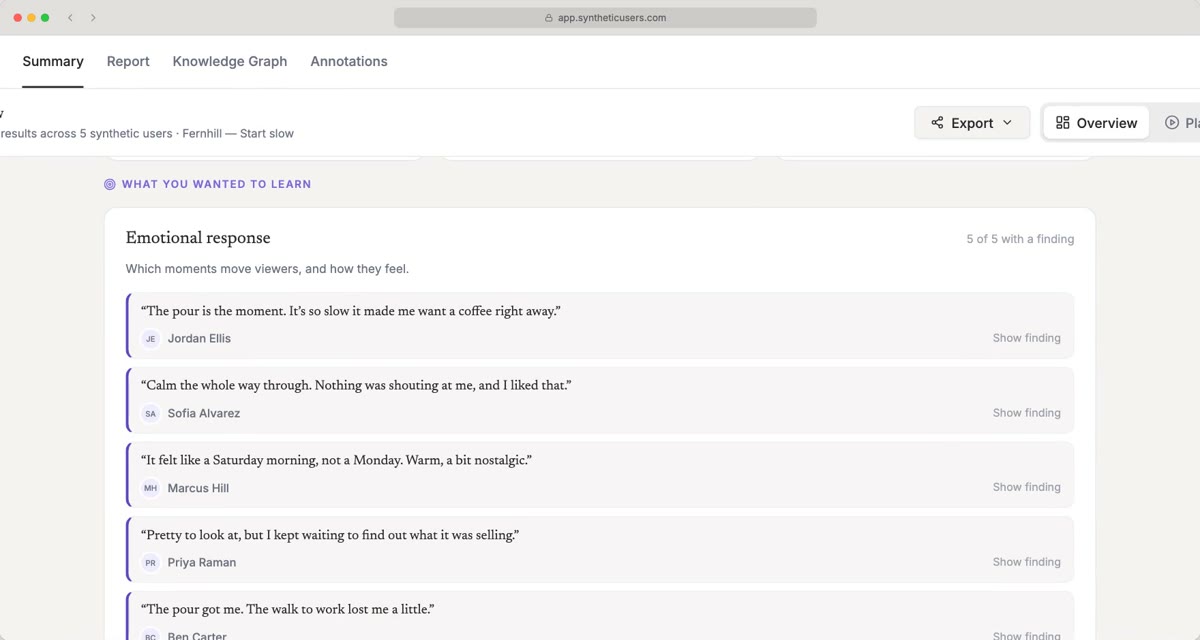
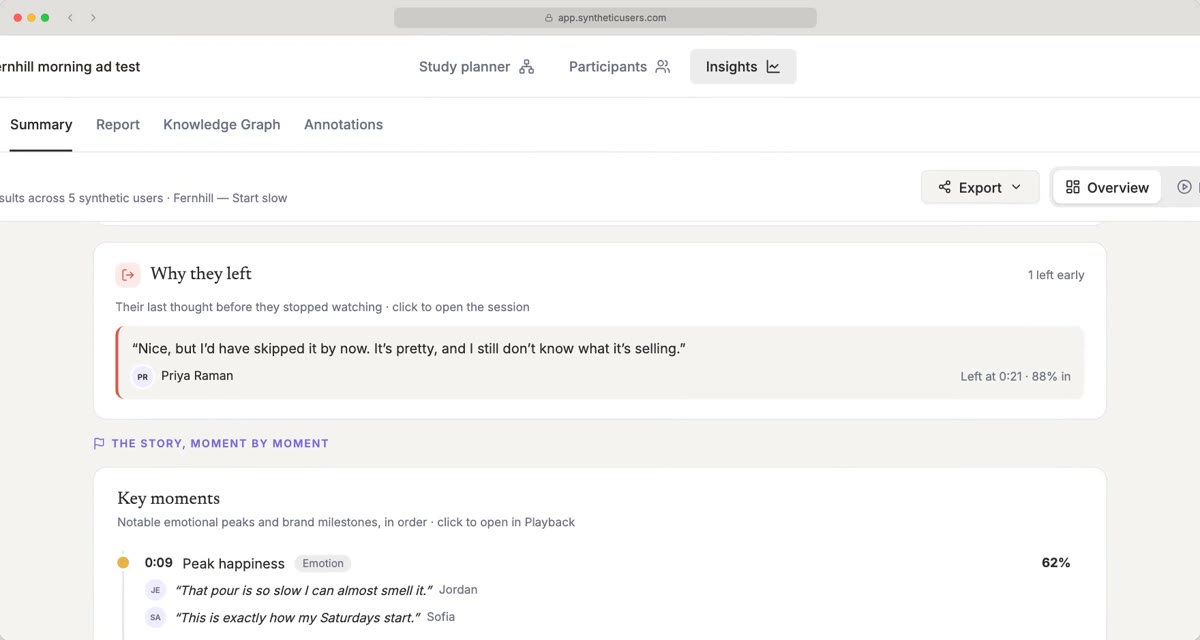
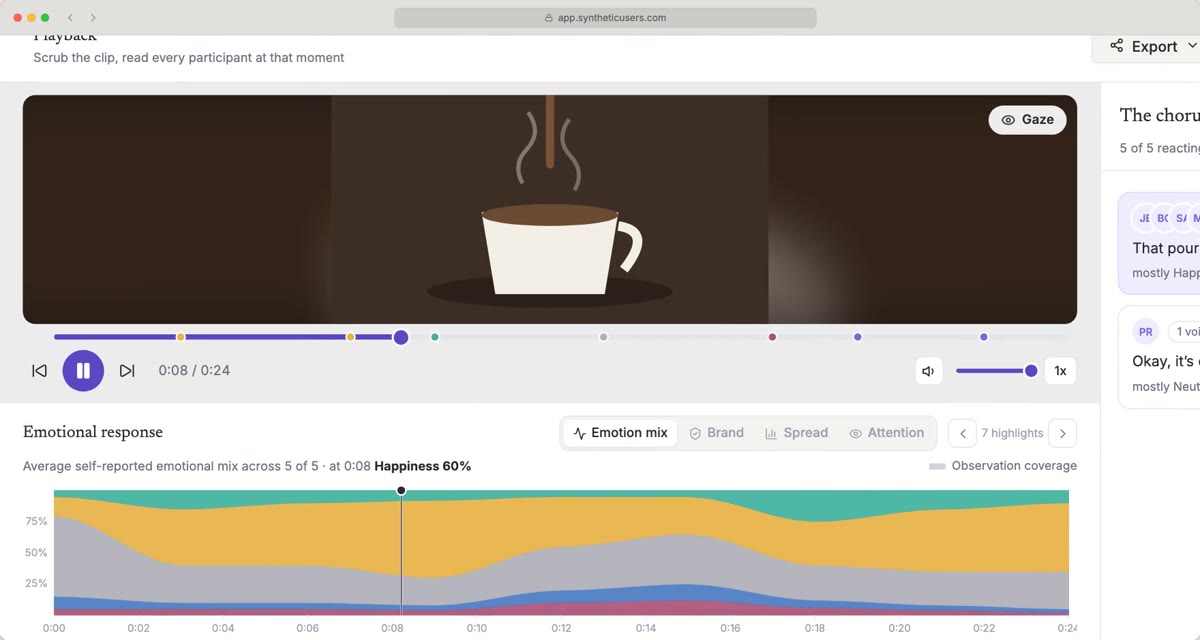
Switch to Playback to scrub through the video moment by moment. The chart shows the emotional mix over time and ends where the last viewer stopped, and the chorus groups what people said at each moment. Open anyone's full session to watch the video with their thoughts as it plays.
Reports
Reports for trailers, sketches and scenes get a chapter for each goal you picked, between the executive summary and the moment-by-moment response at the start and the synthesis and implications at the end. Ad reports keep their chapters on comprehension, brand recognition and consideration.
Watch it in two minutes: Video concept testing | Synthetic Users tutorial.
To try it, create a study from the Concept Testing template and drop a video into the concept.
All data in the screenshots is fictional.