
Download our latest Guide
All tutorials
Iris, now inside every study

Tutorials

Iris, now inside every study

Iris has always been the research agent in your project. Now it's in every study too — a copilot scoped to exactly one study, that helps you set it up, and then helps you make sense of what it found.

You could already build and run a study by talking to the project-level Iris. What's new here isn't the setup. Once your interviews are in, Iris inside that study knows only this study's data. No re-explaining the research question, no risk of mixing up findings from a different study in the same project. Ask it a question, and the answer comes straight from the transcripts sitting right next to it.

Here's what that looks like end to end, from a blank study to a real finding. One study, one thread, nothing edited out.

Set it up

Describe the research. Iris builds the study.

Open a new study and Iris is already there, scoped to this study alone. It doesn't open with a blank greeting either. It opens by telling you what this particular study is still missing: an audience, a participant count, and a research goal or interview script.
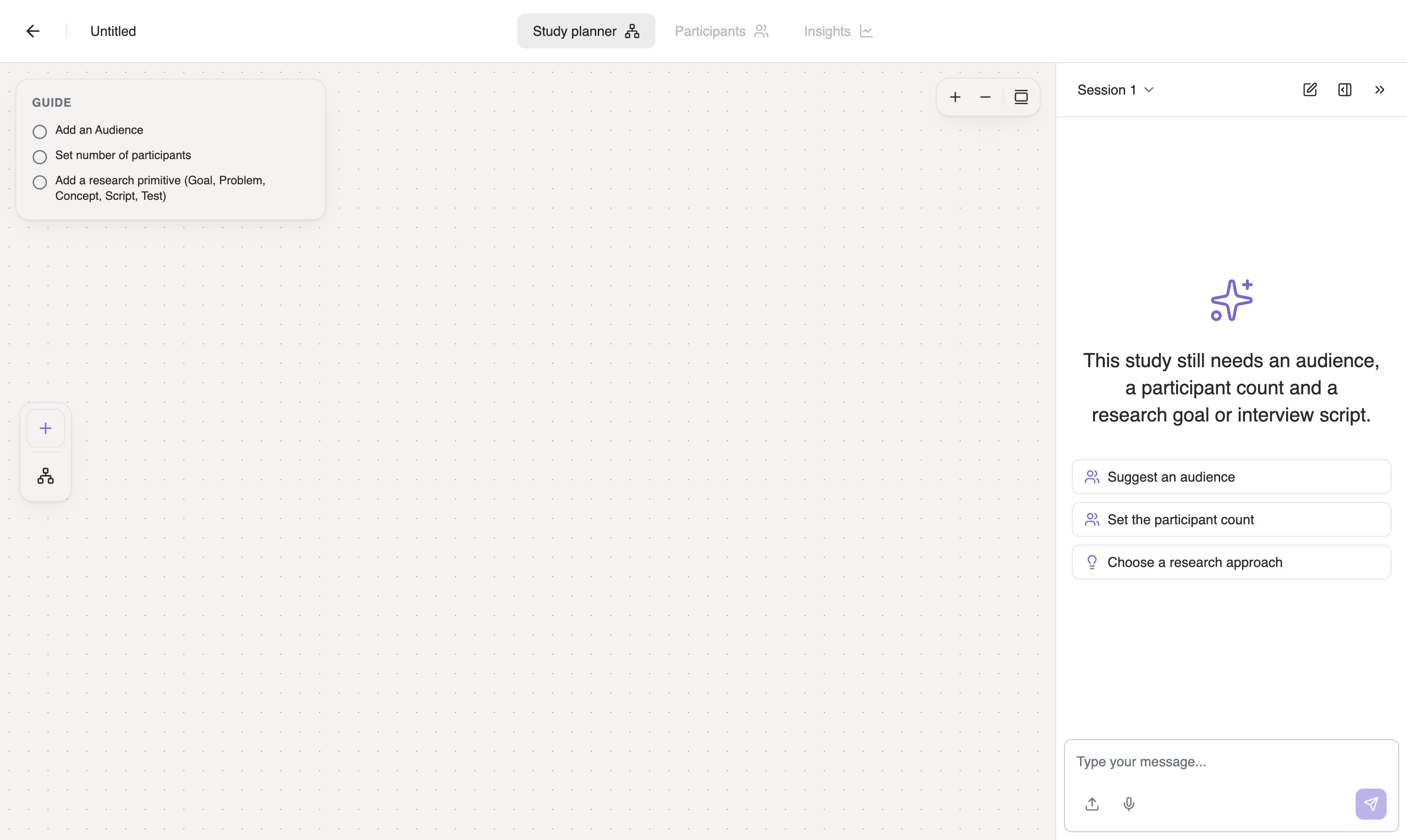
A freshly created, empty study in the study planner. The Guide checklist on the left shows three unstarted steps, and Iris's welcome message in the chat panel says the study still needs an audience, a participant count and a research goal or interview script.
A brand-new study. The Guide on the left tracks what's still missing, and Iris's opening suggestions: Suggest an audience, Set the participant count, Choose a research approach are about this study, not about your project at large.

One message is enough to get moving:

“I want to understand how remote workers decide where to work on any given day. Set up an audience and a research goal for that, and suggest a good number of interviews to run.”

Iris drafts the audience, writes the research goal, and reasons about sample size in the same reply. The first two land on the canvas as it works, live.
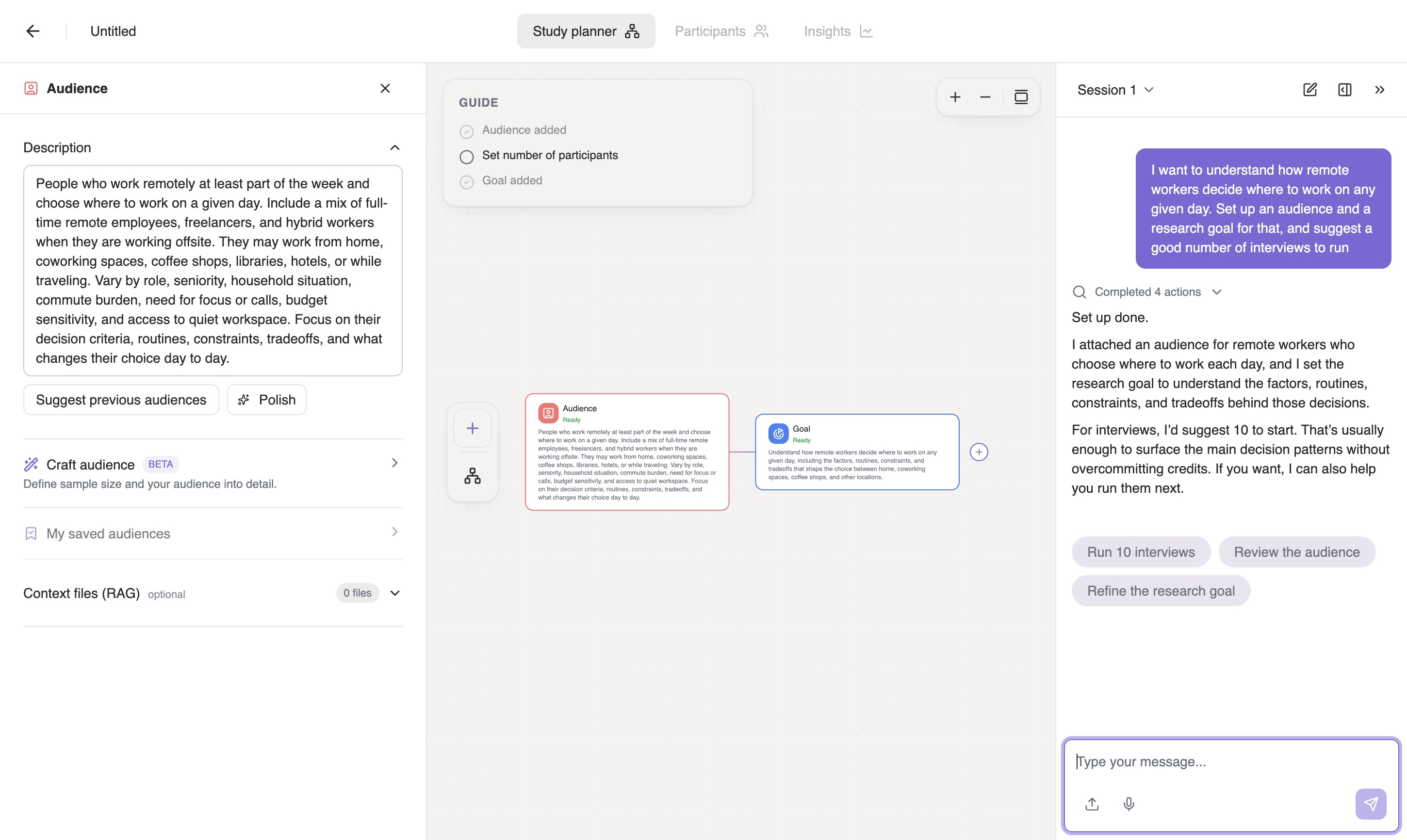
The study canvas with an Audience node and a Goal node filled in and connected, the Guide showing Audience added and Goal added as complete, and Iris's chat reply recommending 10 interviews to start.
Audience and research goal, written and connected on the canvas as Iris replies. It recommends ten interviews and says why: enough to surface the main decision patterns without overcommitting credits.

Iris asks before doing anything that costs you something real. It proposed the number; spending the credits is still your call, made in the same conversation.
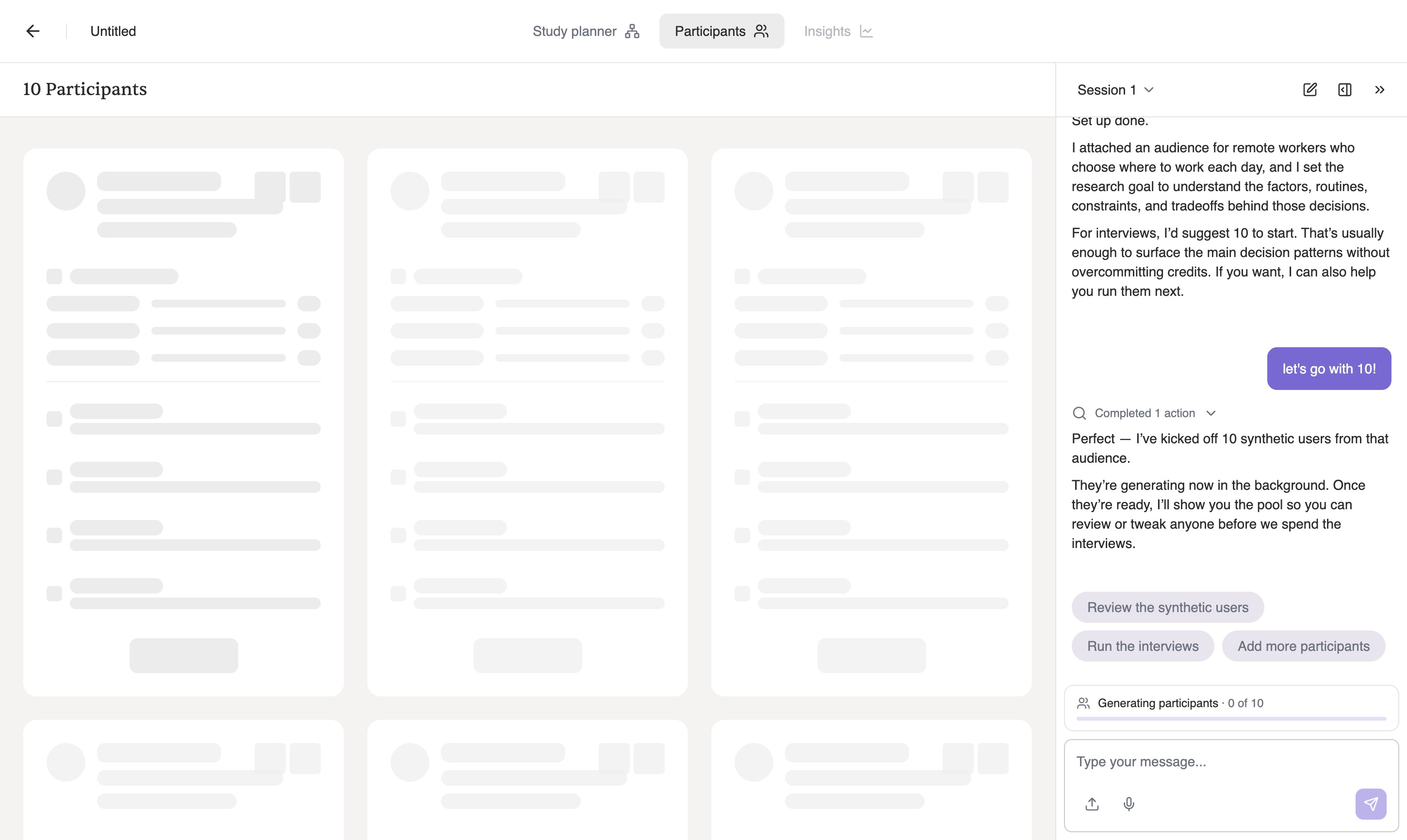
The Participants tab filling with ten placeholder participant cards while Iris confirms it has started generating them, with a pinned progress strip at the bottom of the chat reading Generating participants, 0 of 10.
Say go and the work starts in the background. The progress strip pins itself to the bottom of the chat: Generating participants · 0 of 10. The conversation stays usable while it runs. You don't sit and watch a spinner, and you don't lose the thread.
Analyze

Ask it what your interviews actually found.

This is the part a project-wide copilot can't do well. Once the interviews finish, this study's Iris has read every one of them, and only them. It also carries more than thirty analysis tools scoped to this one study. Asking a real question exercises all of it, not a single canned summary. Four examples, in one continuous thread.

Ask for the finding, not a summary

“What are the top 3 factors that make people pick one place to work over another? Give me a representative quote for each.”

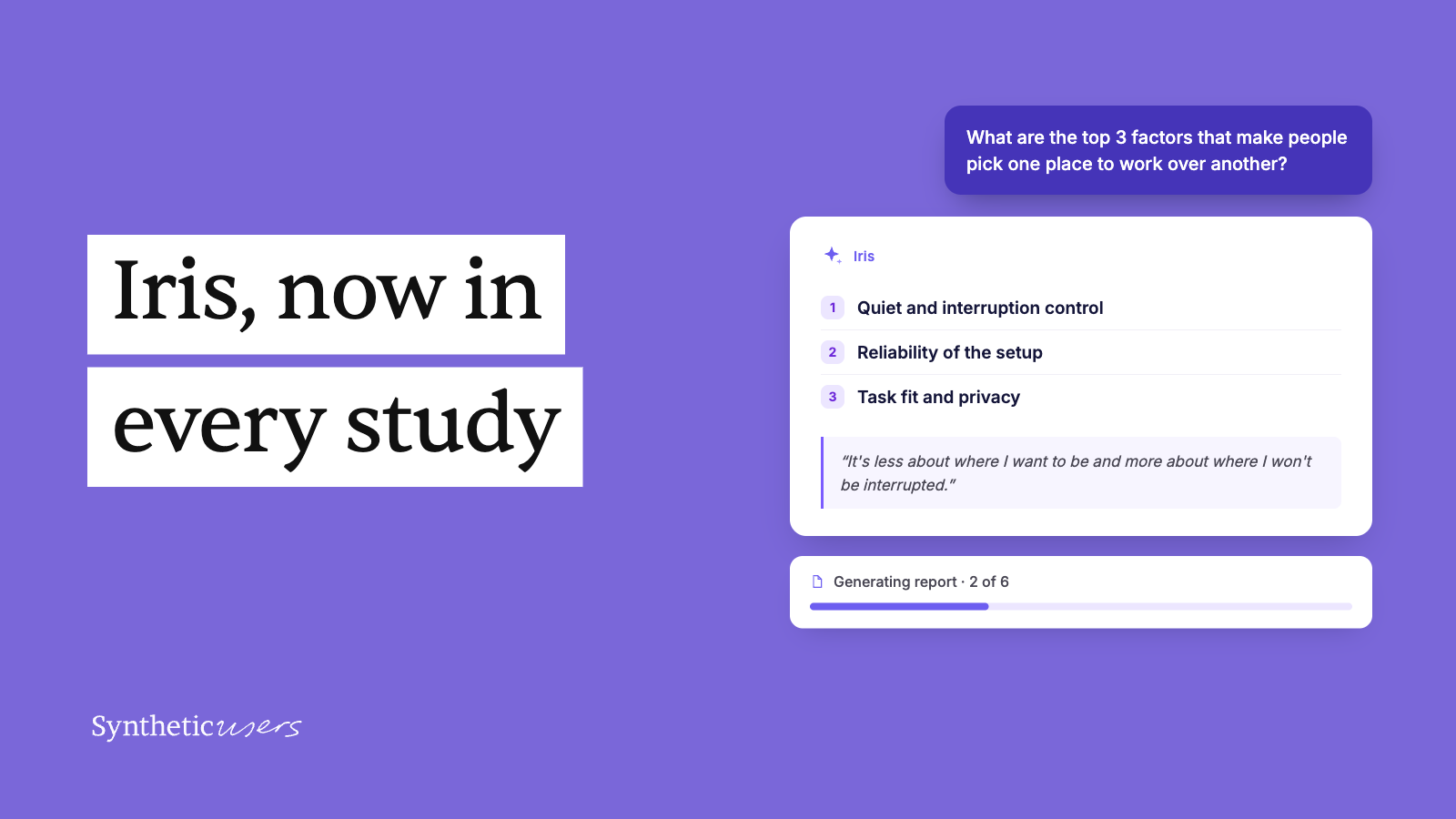
What comes back is ranked and quoted: quiet and interruption control, reliability of the setup, task fit and privacy. And the quote under the first one reframes the whole study. “It's less about where I want to be and more about where I won't be interrupted.”
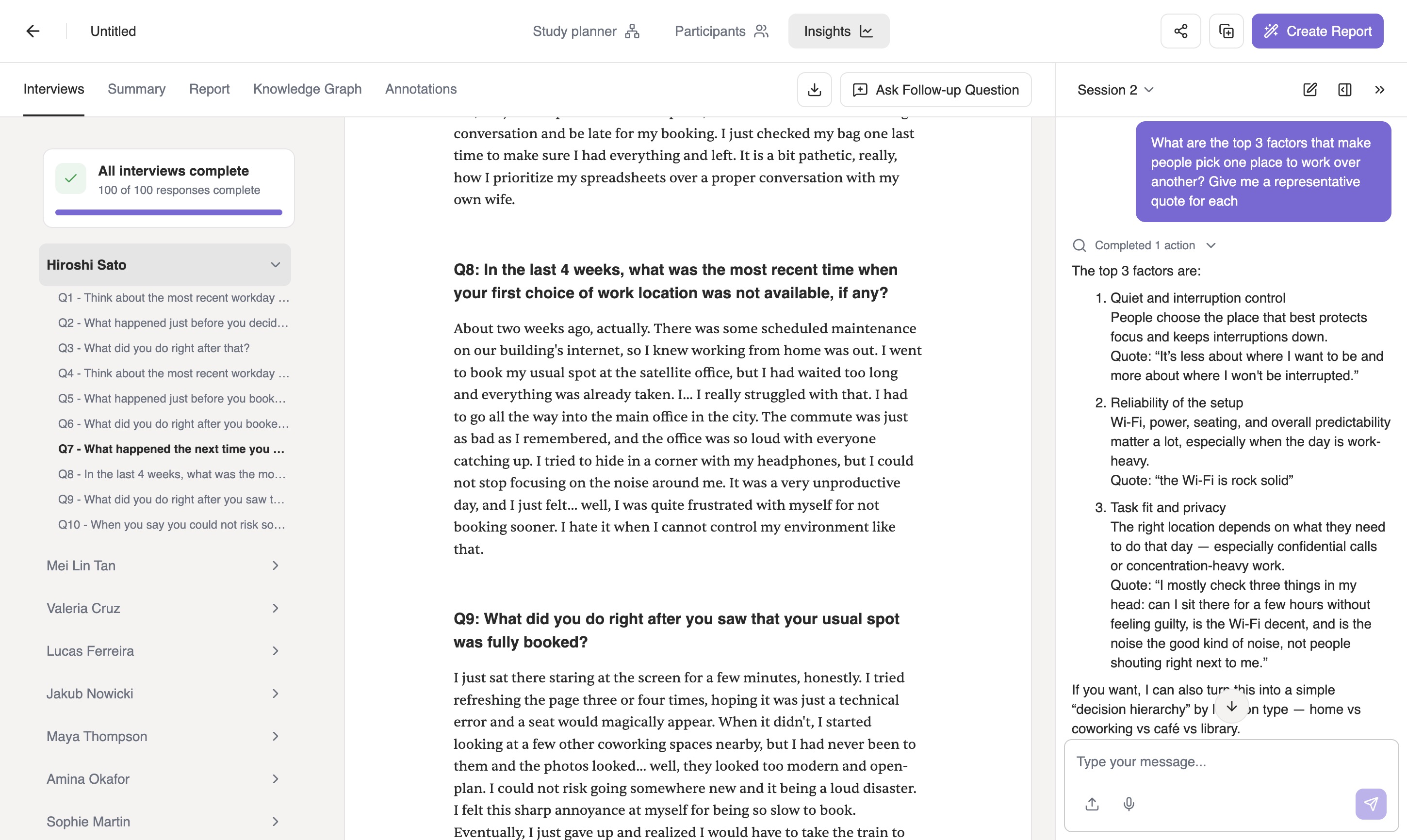
Iris's chat reply listing three ranked factors - quiet and interruption control, reliability of the setup, and task fit and privacy - each with a direct quote, next to the interviews panel showing a participant's full transcript.
All ten interviews complete, and the answer sits next to the transcripts it came from: three ranked factors, each carrying a line somebody actually said.

Push it to follow up, on a specific person

A summary tool stops at the first answer. Iris can go back into one participant's session and ask something more pointed, grounded in exactly what she already said, not a generic template question.

“Sophie said she struggles to justify paying for a desk when she's ‘just a bit fed up with my flat.’ Ask her a follow-up about how she decides when discomfort is reason enough to spend.”

Iris turns that into a real interview question. “How do you decide when discomfort is reason enough to spend on a different place to work? What tips the balance for you?” It sends it into Sophie's session, where it lands as Q11 alongside her original ten.
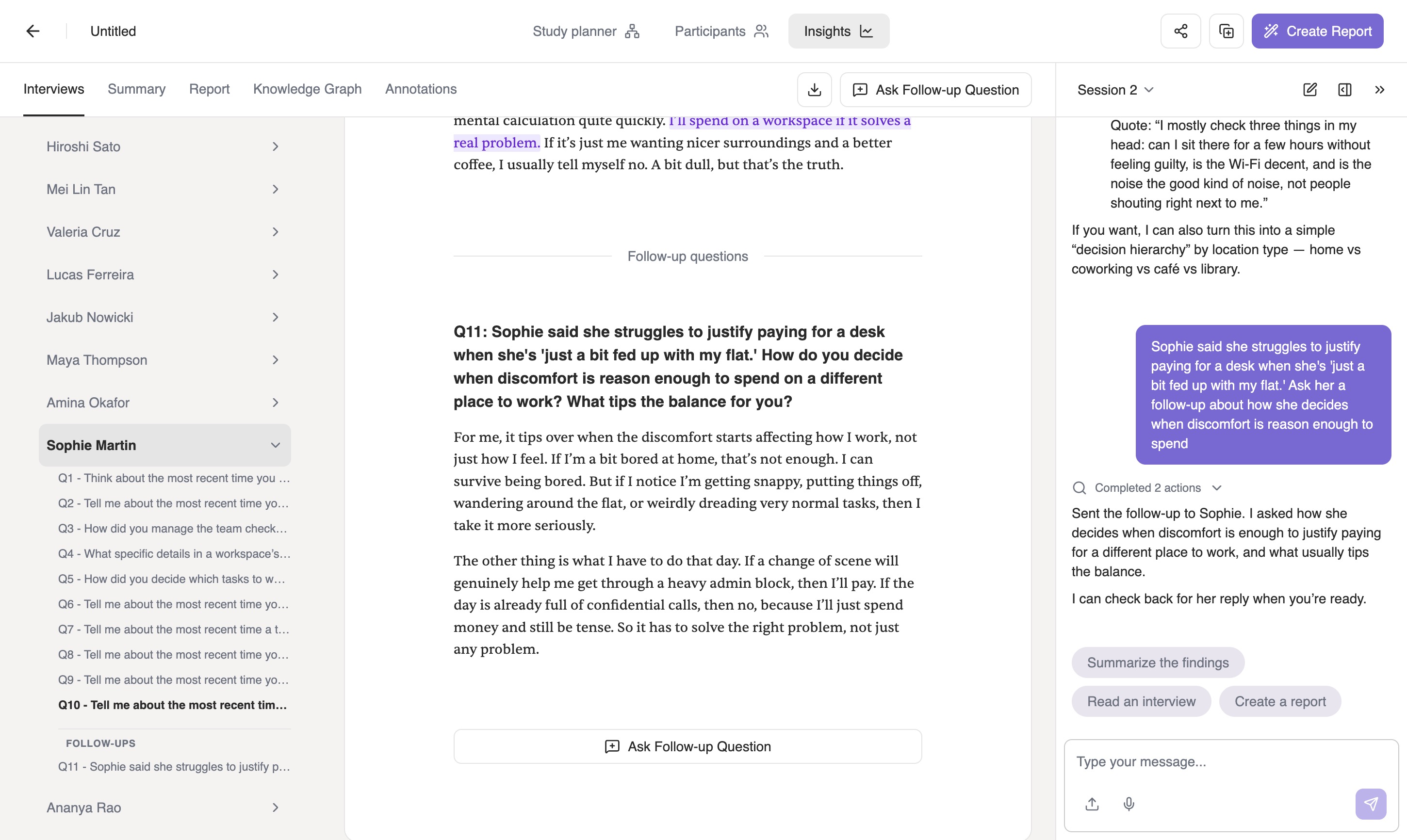
Sophie's interview transcript with a Follow-up questions section containing Q11 and her full answer, while the chat panel confirms Iris sent the follow-up to Sophie.
The follow-up and her answer, filed inside her interview rather than stranded in a chat window. Her line is the kind of thing you'd hope a second question would get to: “it has to solve the right problem, not just any problem.”

Shape the report before it's written

Ask Iris to build a report with a specific angle in mind, and it comes back with the outline first. The requested angle is already folded in as its own section, so you can redirect it before a word gets written.
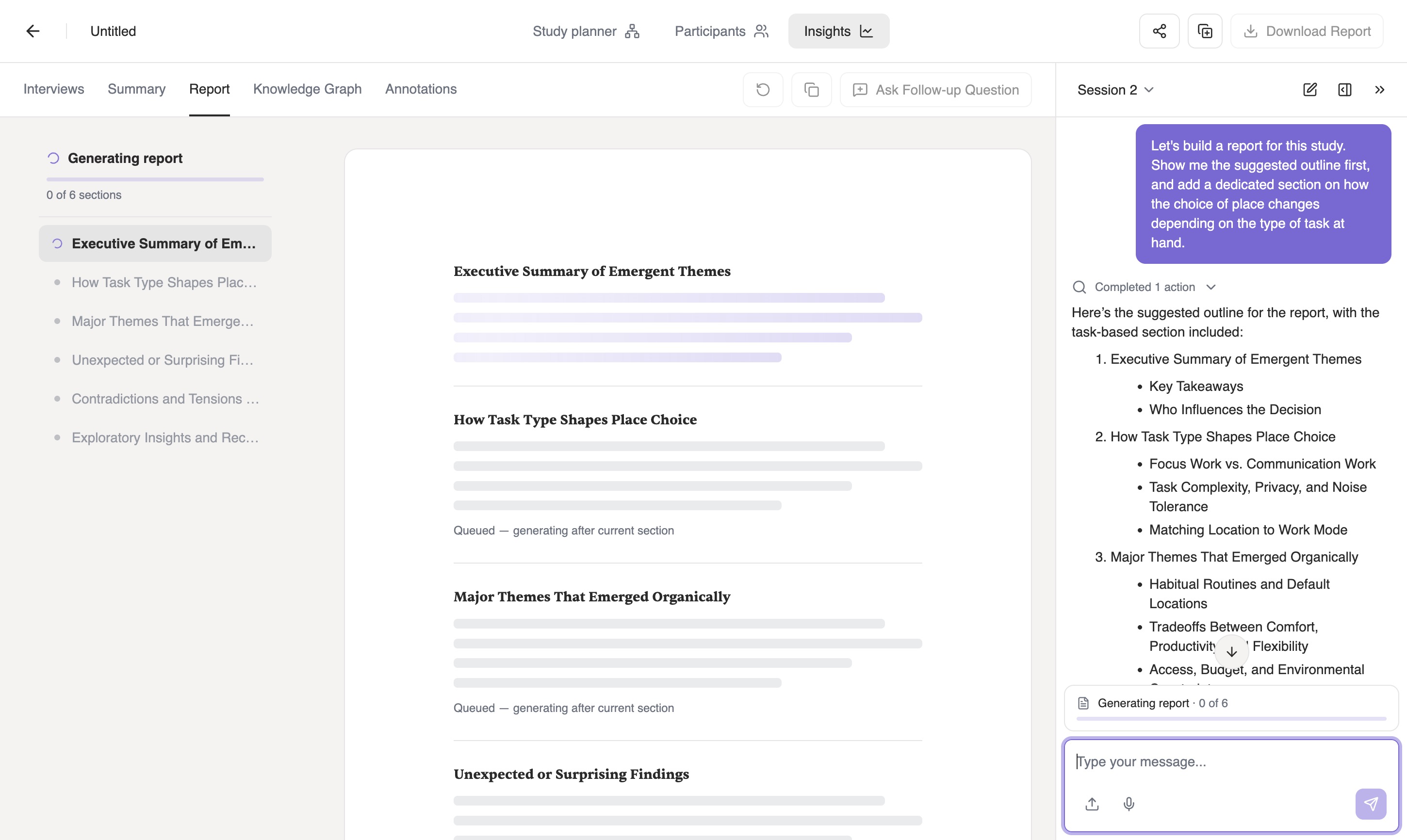
“Build a report for this study. Show me the suggested outline first, and add a dedicated section on how the choice of place changes depending on the type of task at hand.”
Iris proposing a six-section report outline in the chat, with How Task Type Shapes Place Choice as section two, while the report pane shows the section headings queued for generation.
Six sections, and the one you asked for sits second. How Task Type Shapes Place Choice, broken into focus work versus communication work, task complexity and privacy, and matching location to work mode.

Approve it and it starts writing, section by section, telling you plainly that the section you asked for is in there.
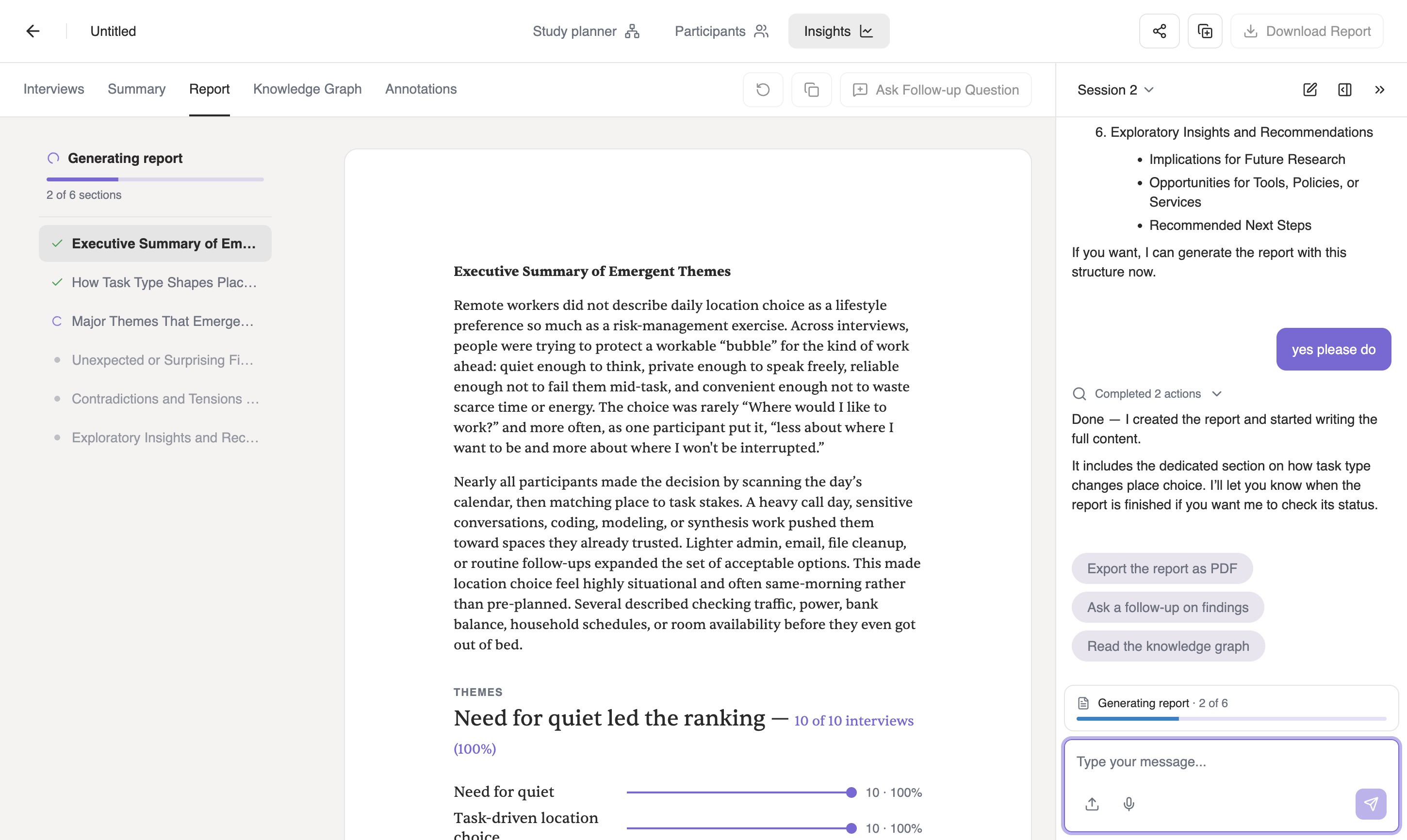
The report two sections into generation: the executive summary written out in full with quantified themes beneath it, the contents list ticking off completed sections, and Iris confirming the report includes the dedicated section on how task type changes place choice.
Two of six sections in, with the executive summary already written and the themes quantified underneath. Need for quiet, 10 of 10 interviews. Its opening line is the sort of thing you write a report to find: remote workers described location choice less as a lifestyle preference than as a risk-management exercise.

Apply an actual research framework, on request

The canned reports summarize findings; they don't structure them the way a specific research method would. Ask for one by name, and Iris applies it directly to this study's transcripts.
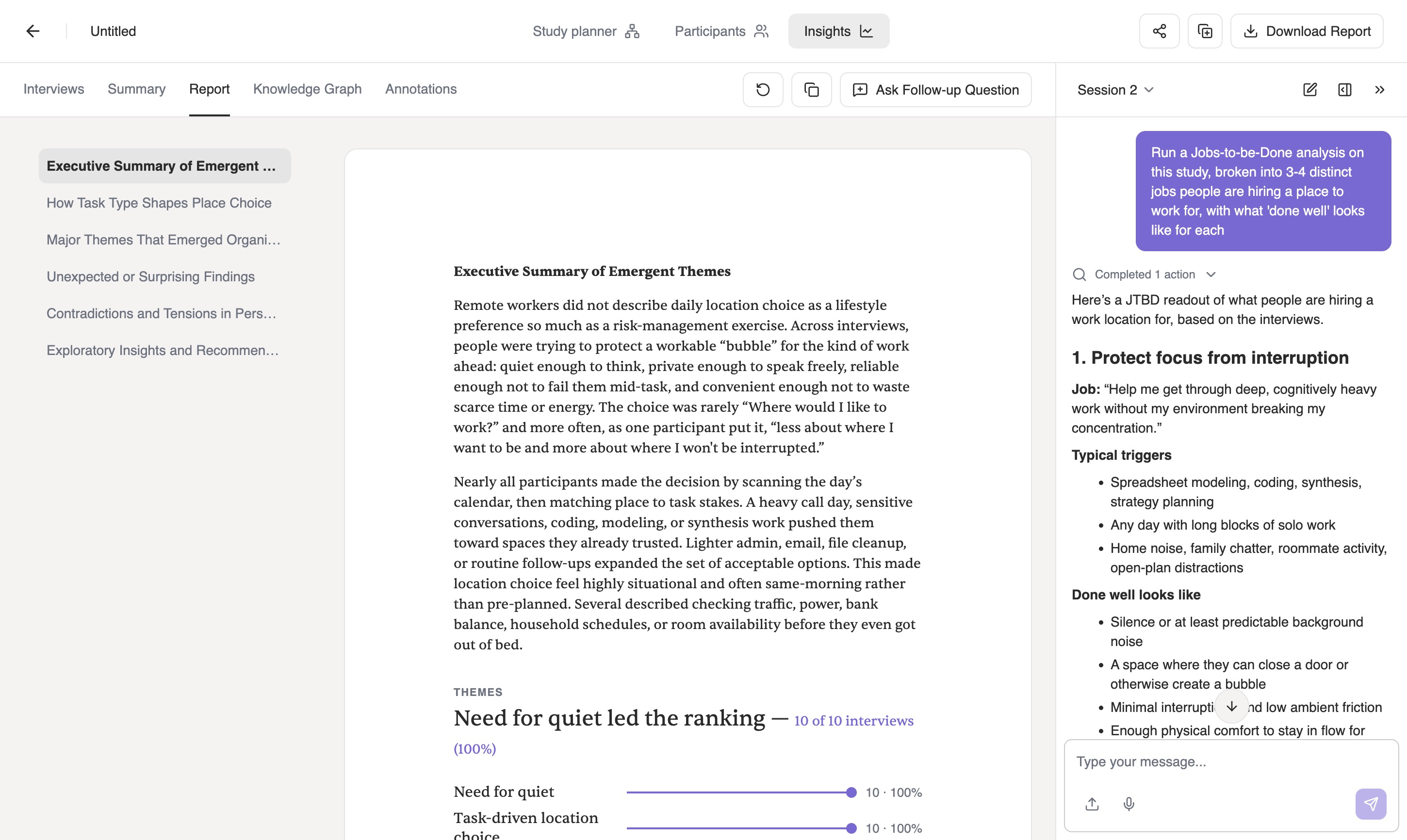
“Run a Jobs-to-be-Done analysis on this study, broken into 3-4 distinct jobs people are hiring a place to work for, with what ‘done well’ looks like for each.”
Iris structuring the study into a Jobs-to-be-Done analysis, showing the first job - protect focus from interruption - with its job statement, typical triggers and what done well looks like, beside the finished report.
The first of the jobs, protect focus from interruption, with the job stated in the participant's terms, the triggers that set it off, and what “done well” means for it. Behind it, the finished report, the task-type section among its six.

None of this needed a re-upload, a re-explanation of the research question, or a tab switch to a separate tool. It's one thread, grounded in one set of interviews, from the first message to the last.

Questions? Email us at support@syntheticusers.com.