
All tutorials
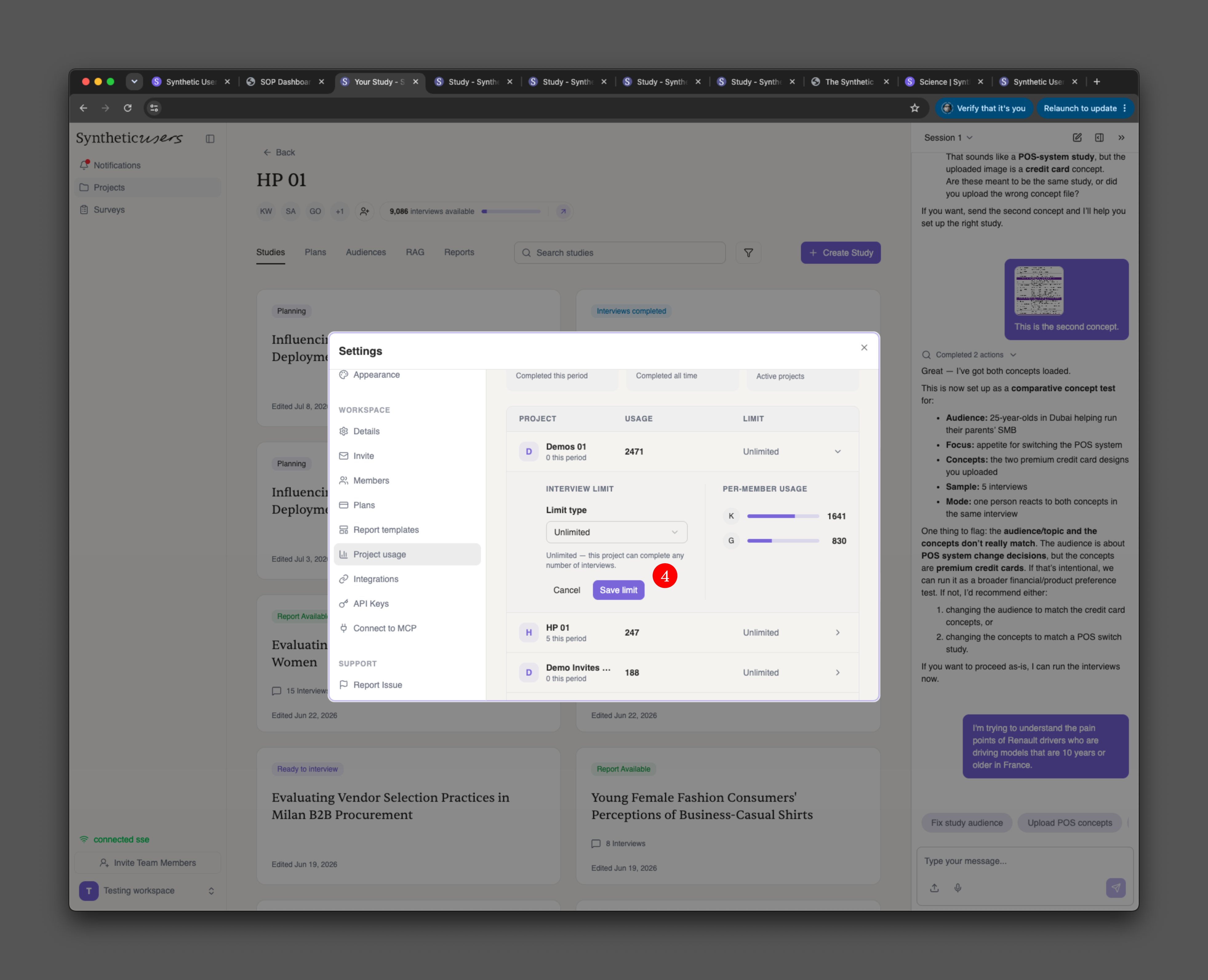
In number 4, you can see that a pop up appears and you can assign a specific number.
Let us know if you have any issues to support@syntheticusers.com.
Tutorials
How to allocate fixed number of interviews per project
Learn how to allocate a fixed number of interviews per project in Synthetic Users by adjusting settings as an admin.
First you need to be an admin. If you're not, don't continue reading and call one within your team.
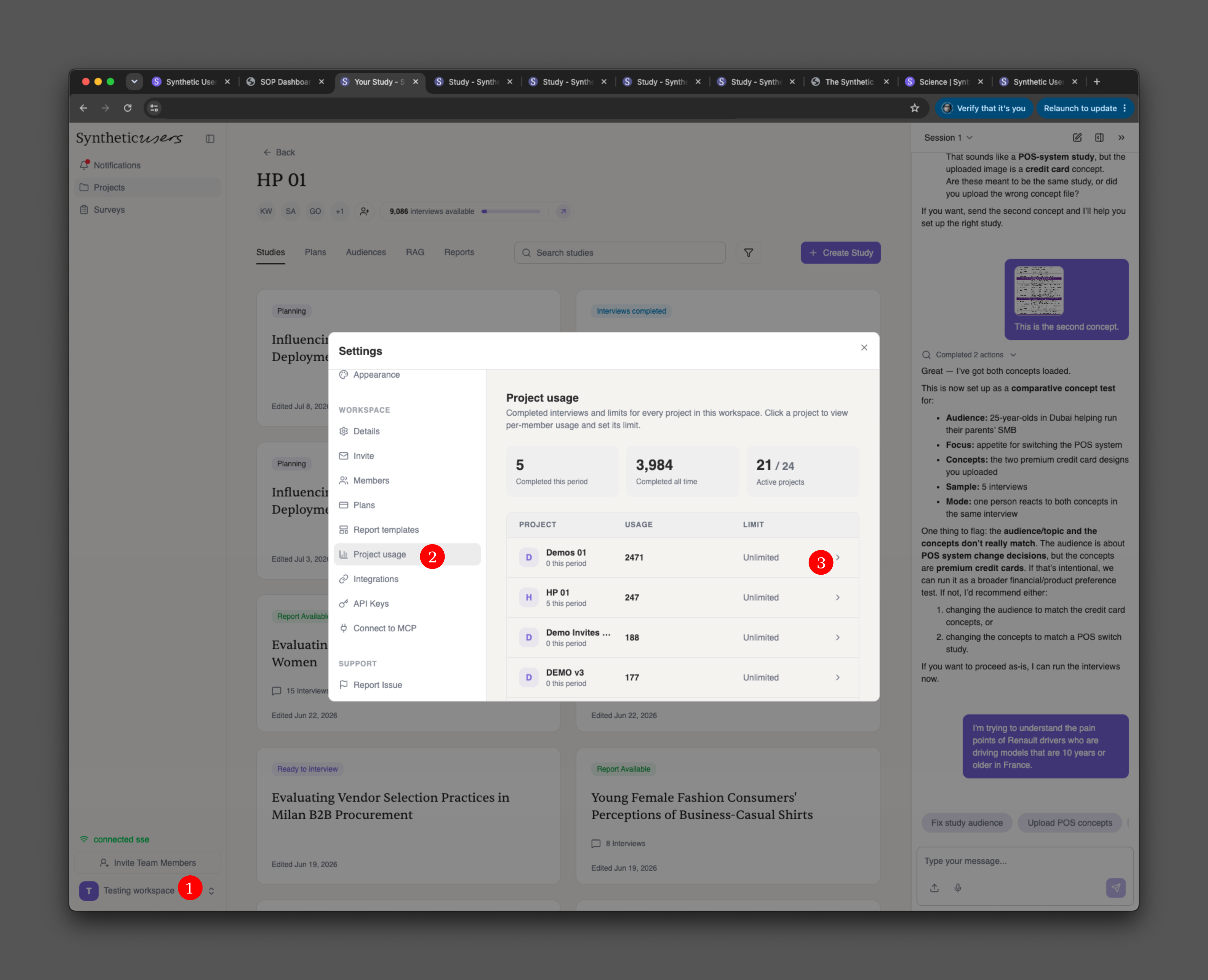
Go to settings (1) and pick the Project Usage tab (2).
By default every project can use as many interviews as were purchased with the plan. This is where you can change that (3) and allocate a fixed number.
In number 4, you can see that a pop up appears and you can assign a specific number.
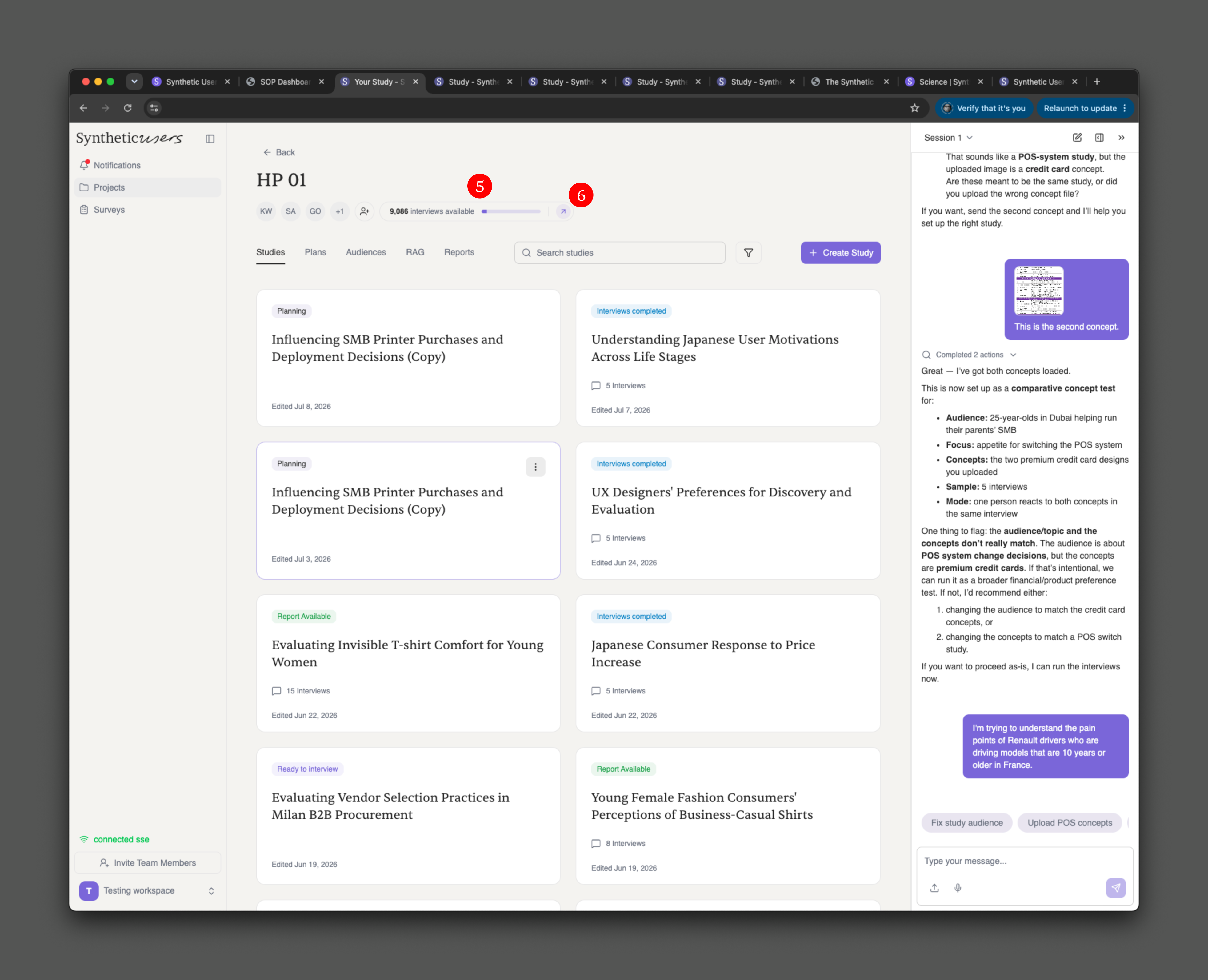
This is all visible at the top of the project (5). From it you can access settings and change this number (6).
Let us know if you have any issues to support@syntheticusers.com.
Cheers.