
Tutorials
Study Planner 2.0
The biggest upgrade yet to how you plan research: mix interviews, concept tests, usability tests, tree tests and card sorts in one study, send each person where their answers lead, and let Iris set it all up for you.
Good research rarely fits in a single format. You talk to people to understand their world, show them an idea, then watch whether they can actually use it. Sometimes different people need different questions: the ones who loved a concept and the ones who didn't have very different things to teach you.
Study Planner 2.0 is built for research like that. You lay out a study as a series of steps, decide who goes where after each one, and run it all with the same Synthetic Users from start to finish. Research that used to take several separate studies, or that you couldn't run at all, now fits in one. And you don't have to build it by hand: Iris can set the whole thing up from your research plan.
To show how it works, we'll follow a fictional meal-kit brand, Pequeno Prato, as it tests a new kit with busy parents.

Build the journey step by step
Every study starts as one interview. When you want to go further, press the + after it and add what comes next: another interview, a rule that splits Synthetic Users, or the end of the study on that path.
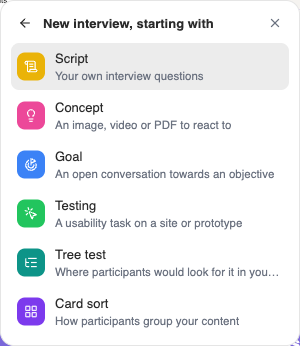
Each new step can start in whichever way the research needs:
- Script. Your own interview questions.
- Concept. An image, video or PDF for people to react to.
- Goal. An open conversation towards an objective.
- Testing. A usability task on a site or prototype.
- Tree test. Where Synthetic Users would look for something in your navigation.
- Card sort. How Synthetic Users group your content.
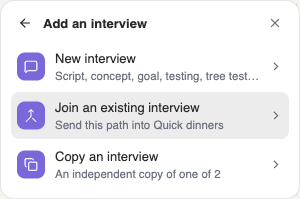
You don't have to write everything twice. Copy an interview gives you an independent copy to adapt, and when two paths should meet again, Join an existing interview sends them into the same step. In our study, both groups of parents end up in the same “Kit concept test.”
Send each person where their answers lead
A rule after a step decides where each Synthetic User goes next. You can split people by:
- Segment. Each part of your audience goes its own way, decided up front.
- Interview outcome. You name the outcomes and describe who belongs in each, and the AI researcher sorts Synthetic Users by what they said.
- Preferred concept or task result. Follow up differently depending on which concept people chose, or how a usability task went.
- At random. A/B groups, by share.
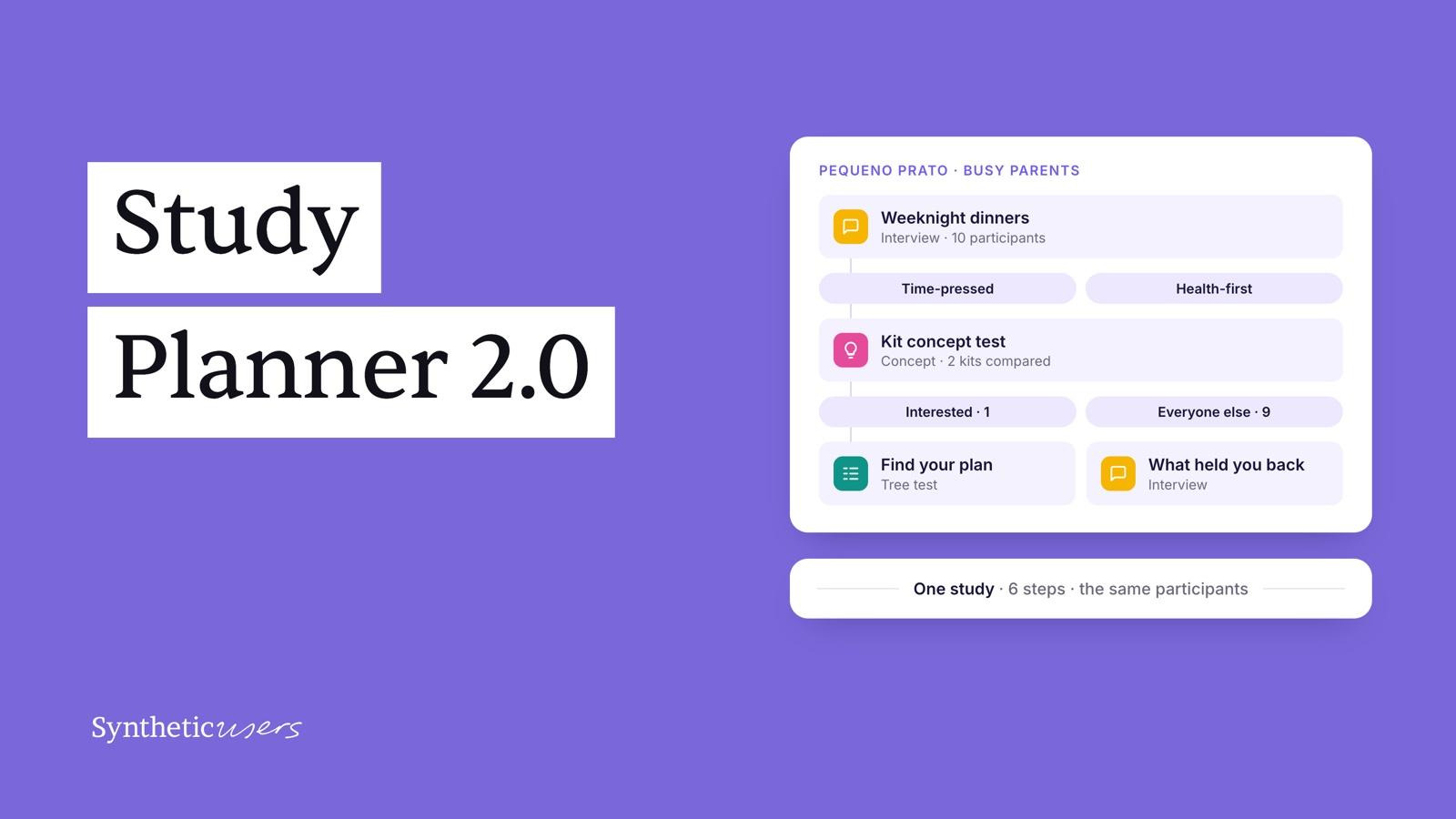
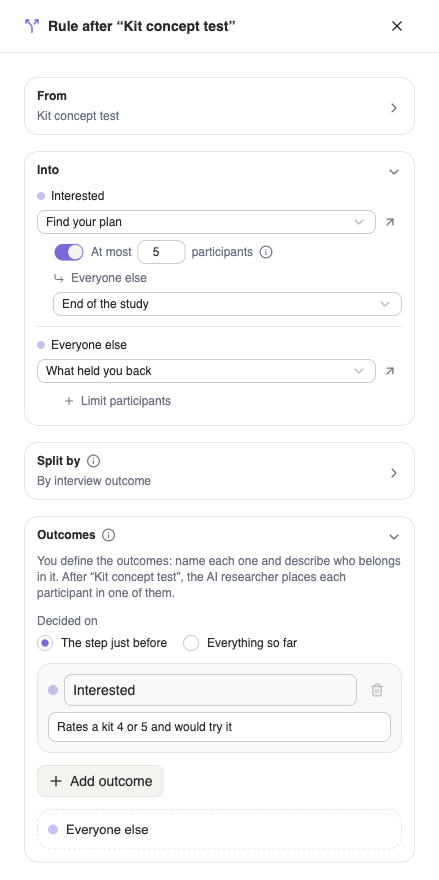
Pequeno Prato splits its parents twice. First by segment, so time-pressed parents talk about quick dinners and health-first parents about healthy ones. Then, after the concept test, by outcome: anyone who “Rates a kit 4 or 5 and would try it” goes on to find their plan on the site, and everyone else tells us what held them back.
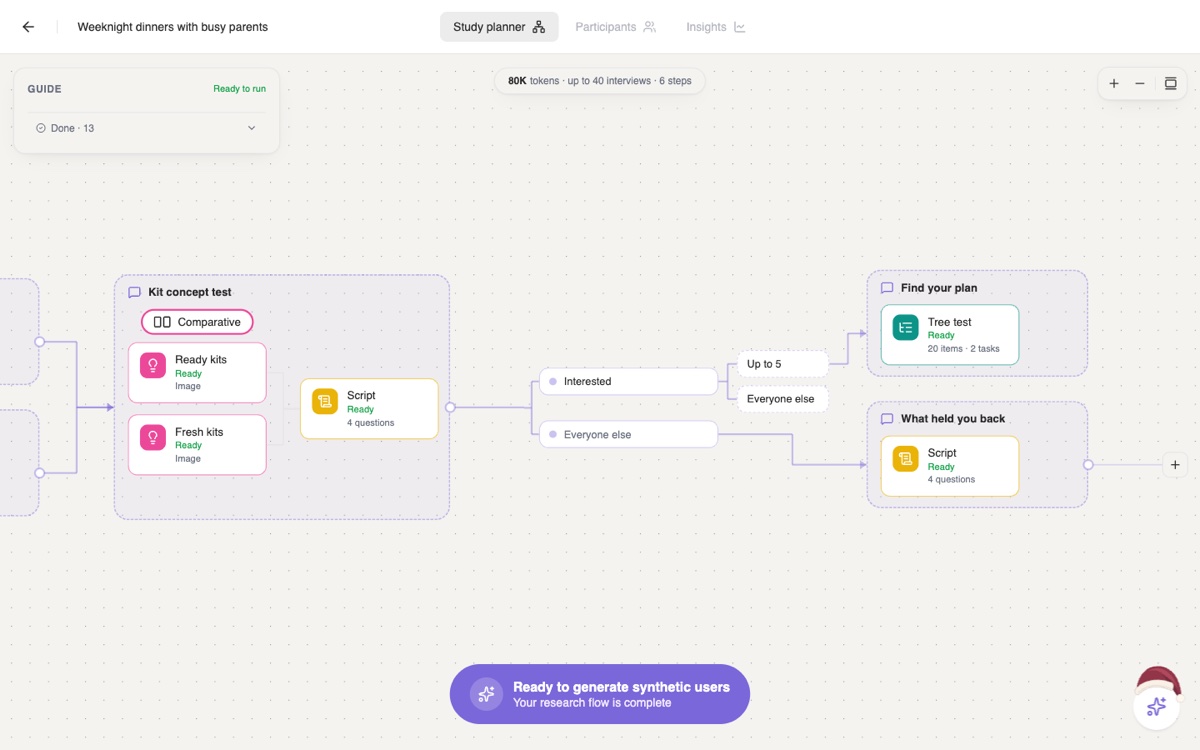
Nobody falls through the cracks: anyone who fits none of your outcomes goes to Everyone else, and you choose where that is. You can also limit how many people take a path. Past the limit, the rest go wherever you send them.
Your Synthetic Users remember the earlier steps
A study in several parts only works if the people in it carry their experience with them. They do. Ask about an earlier conversation and Synthetic Users answer from what they actually said and saw, so each step builds on the last instead of starting over.
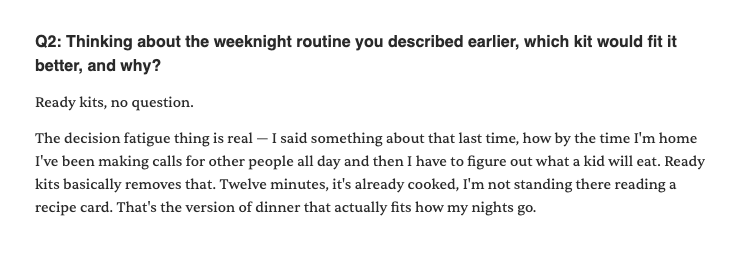
In the concept test we asked parents which kit would fit the weeknight routine they'd described earlier. One of them tied her choice back to something she'd told us in the first interview: by the time she gets home, she's tired of making decisions.
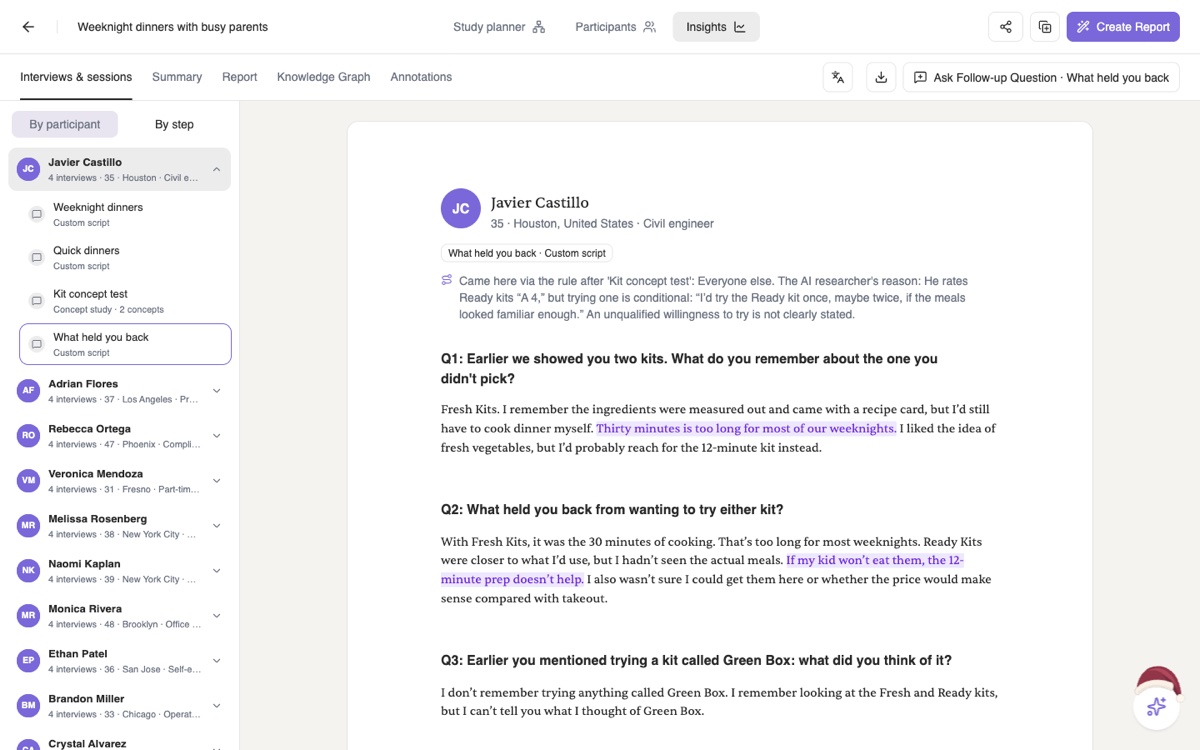
Later, in the closing interview, we asked parents about the kit they didn't pick. One of them remembered it, and why it didn't fit:
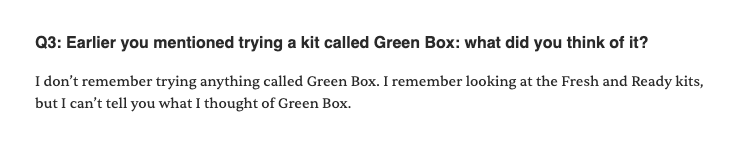
Just as important, they don't remember what never happened. We asked every parent in that closing interview about a kit called Green Box, which we never showed anyone. Every one of them said they didn't recall it.
Let Iris build it for you
The more a study can do, the more there is to set up, and that's where Iris comes in. Give it your research plan, as a file or in your own words, and it builds the study on the canvas: the audience, every step and its questions, the rules between them and the limits on each path. No clicking through menus.
We handed Iris Pequeno Prato's research plan as a file. It built all six steps, both splits and the limit of five on the tree test, and the study was ready to run.
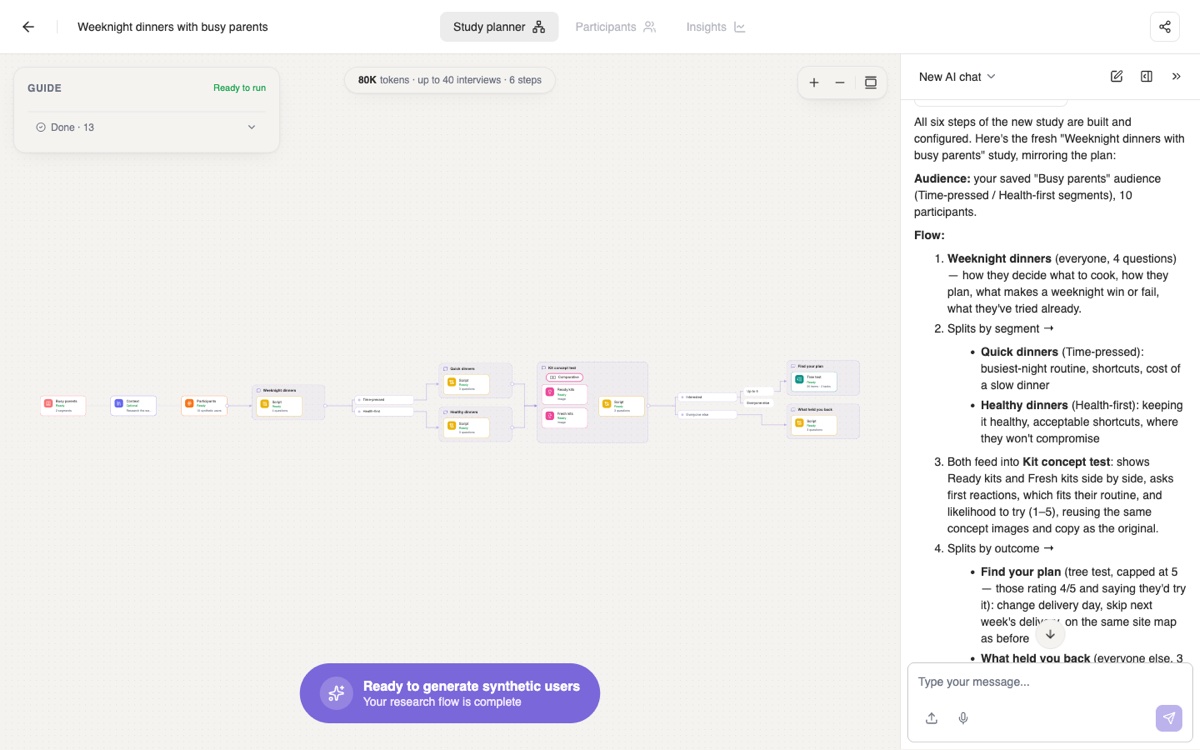
From there, keep going in conversation. Ask Iris to add a step, change who goes where or rewrite a question, and it works on the study you have, just as you would in the planner. Before you run, it can tell you what's still missing.
Read the story of the whole study, step by step
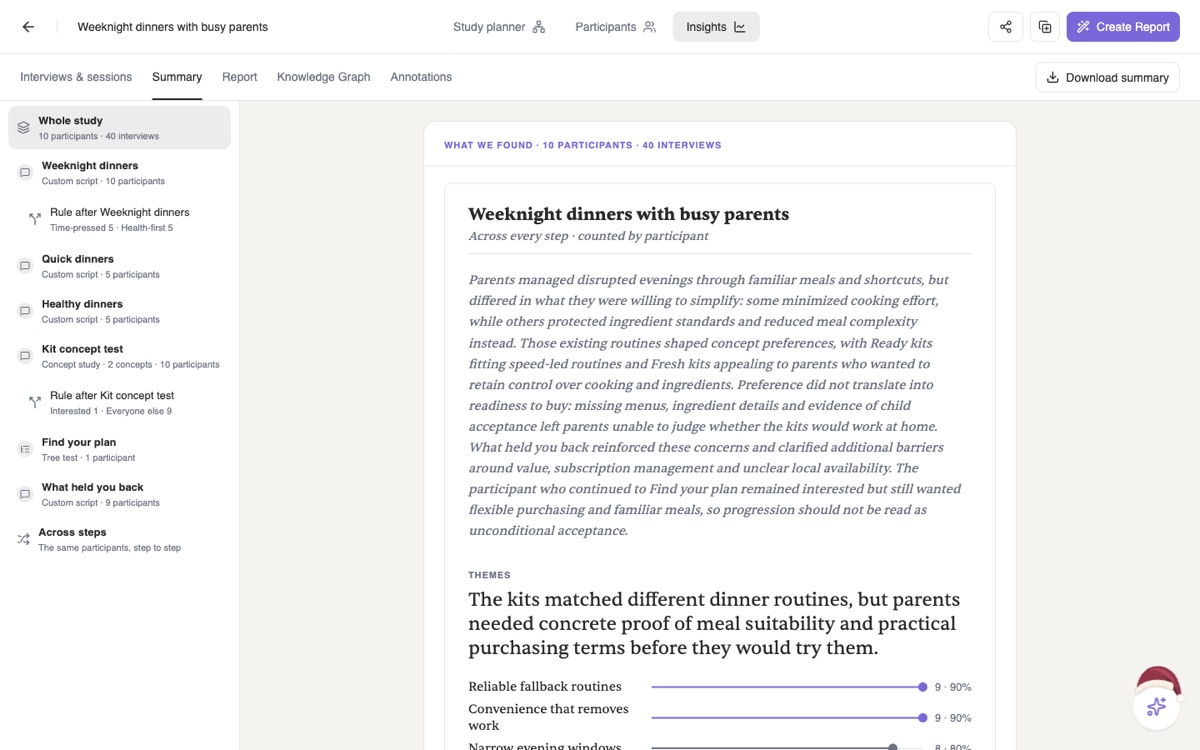
Results are laid out as chapters. The first one tells the story of the whole study. After it, every step has its own chapter, with the same summary that kind of study gets on its own, and every rule has one too. A final chapter, Across steps, follows the same Synthetic Users from one step to the next.
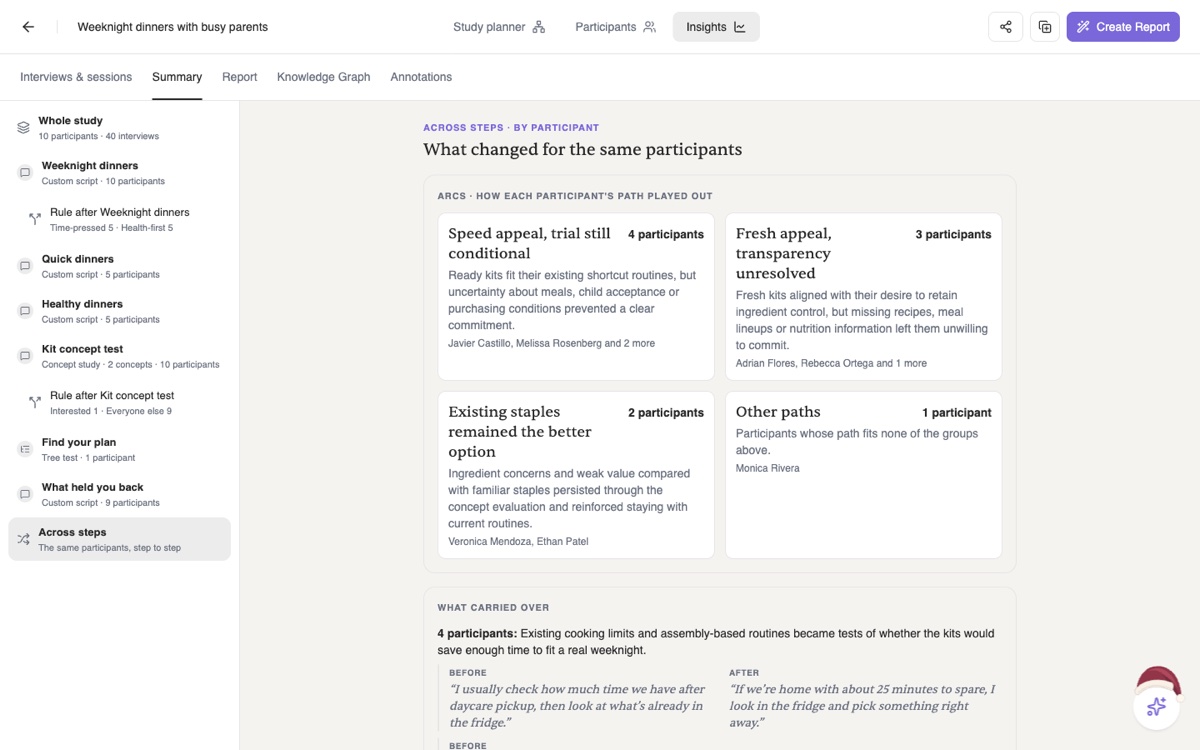
Across steps groups people by how their path played out. In our study, four parents liked how fast the Ready kits were but still wanted more before committing, and three liked the Fresh kits but needed to see real recipes and nutrition information first.
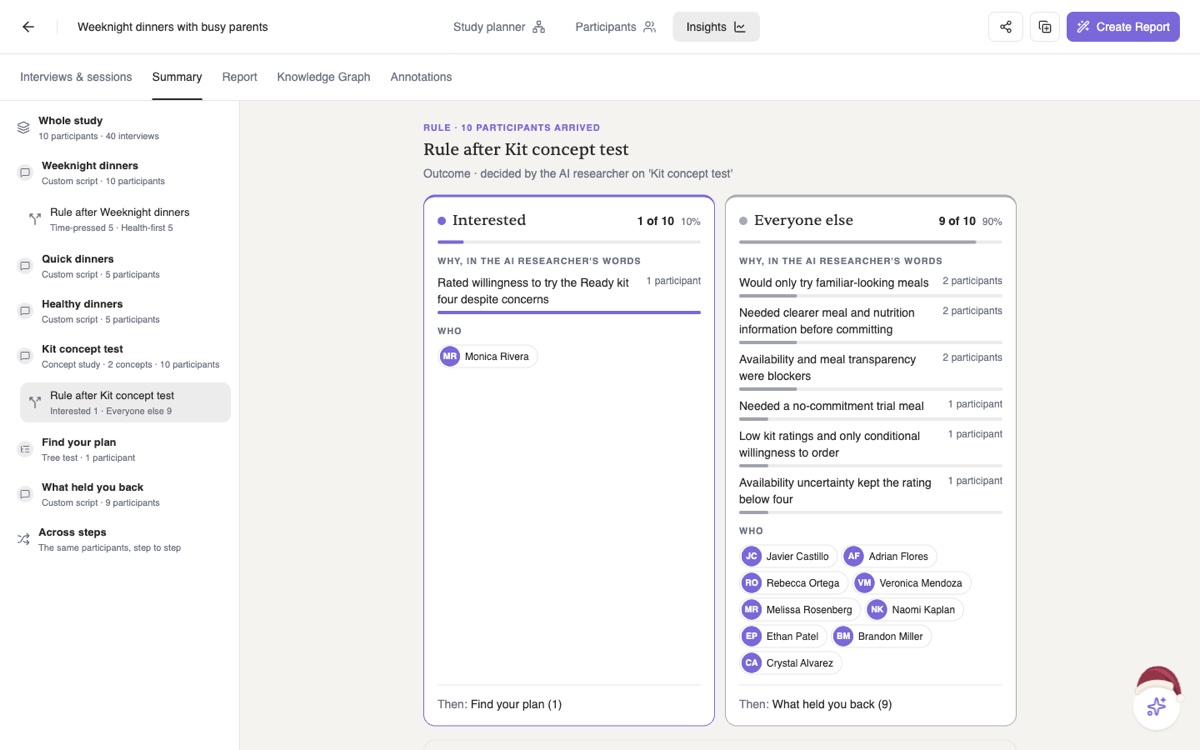
A rule's chapter shows who went which way, and why, in the AI researcher's words. In our study, 1 of 10 parents was interested enough to go on to the tree test. The other 9 went to the closing interview, and the chapter lists what held them back, from wanting to see the meals first to not being sure the kits were available where they live.
You can also follow any one Synthetic User through the whole study. Interviews & sessions lists each person's steps in order, and every step says how they got there.
Studies can now be as simple or as layered as your research needs: several methods, different paths for different people, the same Synthetic Users all the way through, and Iris to set it all up for you.
To try it, open a study and press the + after any interview, or hand Iris your research plan.
Questions? Email us at support@syntheticusers.com.
All data in the screenshots is fictional.